
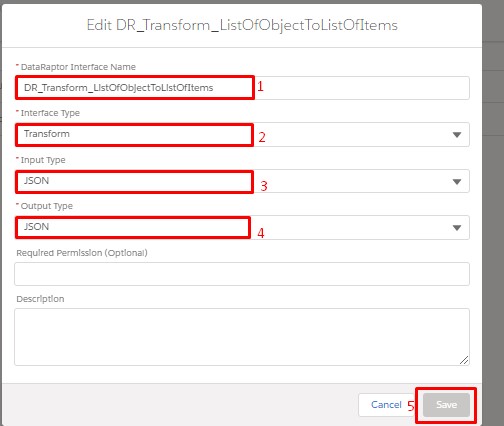
Step :– 1 First let’s create a DataRaptor Transform.
/*! elementor – v3.18.0 – 20-12-2023 */
.elementor-widget-image{text-align:center}.elementor-widget-image a{display:inline-block}.elementor-widget-image a img[src$=”.svg”]{width:48px}.elementor-widget-image img{vertical-align:middle;display:inline-block}
Step :– 2 Now we go to the Transform Tab and click on the Plus(+) icon.
then go to the Output JSON Path and type MoviesNames And type MovieNames in the Input JSON Path

Step :– 3 Now we can formula by going to the Formula Tab. type Movies:Name in the formula and type MovieNames in the output result path.

Step :– 4 Click on Preview Tab and write down in input json.
					{
    "Movies": [
        {
            "Name": "ABC",
            "Genre": "Action"
        },
        {
            "Name": "ABC2",
            "Genre": "Comedy"
        },
        {
            "Name": "ABC3",
            "Genre": "Action"
        }
    ]
}
Click Execute Button:

Review Output Results:
- After clicking the “Execute” button, review the output results.
- Verify that the displayed results align with your expectations and correspond to the input JSON data you provided.
