
SOQL For-Loop in Salesforce: How to Update Thousands of Records Without Hitting Governor Limits
Learn how SOQL for-loops in Salesforce help update thousands of records efficiently while reducing heap usage and avoiding common governor limit issues.

Learn how SOQL for-loops in Salesforce help update thousands of records efficiently while reducing heap usage and avoiding common governor limit issues.

Salesforce integration helps businesses create a connected and scalable ecosystem by unifying data, streamlining workflows, improving automation, and enabling better collaboration across teams.
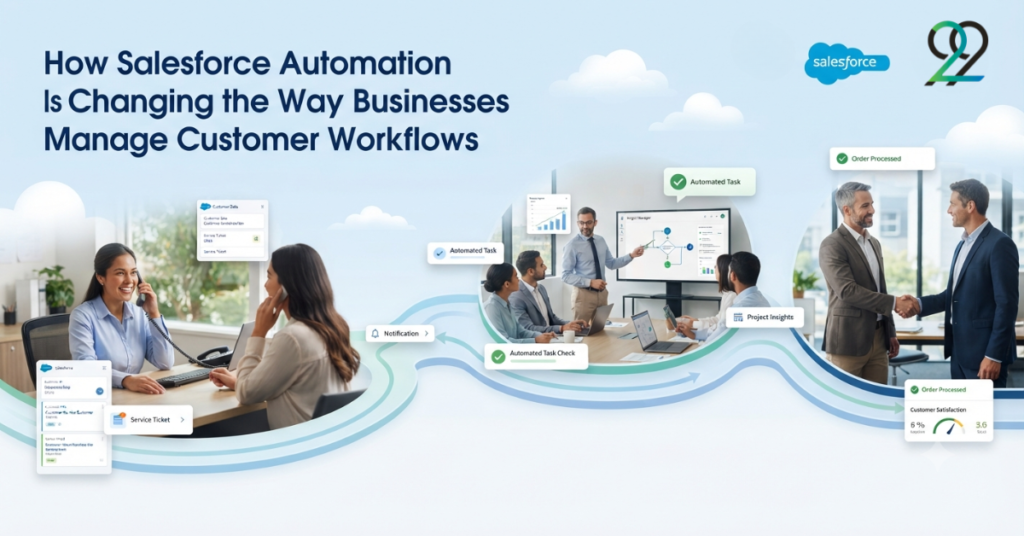
Salesforce automation is changing how businesses manage customer workflows by streamlining repetitive tasks, improving team efficiency, and creating smoother customer experiences.
How Salesforce Automation Is Changing the Way Businesses Manage Customer Workflows Read More »
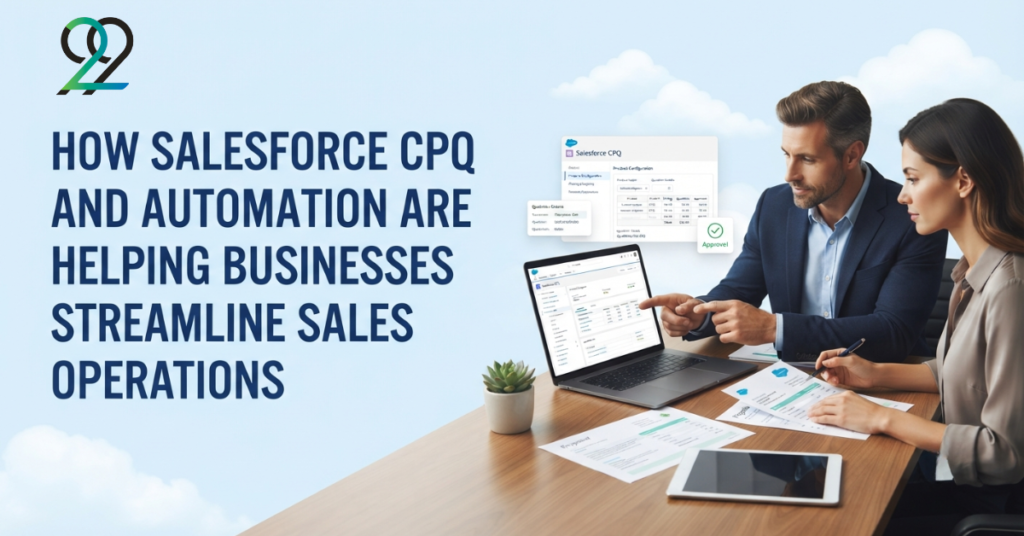
Salesforce CPQ and automation are helping businesses streamline sales operations by simplifying quoting, reducing manual tasks, improving accuracy, and accelerating the sales process.
How Salesforce CPQ and Automation Are Helping Businesses Streamline Sales Operations Read More »
Salesforce OmniStudio is reshaping digital experiences for modern businesses by enabling faster development, personalized customer journeys, and seamless interactions across multiple channels.
How Salesforce OmniStudio Is Transforming Digital Experiences for Modern Businesses Read More »
If you’ve been watching the Salesforce ecosystem over the past year, you’ve likely noticed that Agentforce is no longer a future consideration. It’s here, it’s actively being deployed, and 12,000-plus businesses are already running it in production. According to Salesforce’s own State of AI report, 83% of IT leaders expect AI agents to handle routine tasks independently within the next two years. The good news is that building your first Agentforce agent is far more accessible than it sounds. The not-so-good news is that most guides either rush past the preparation stage or use outdated screenshots. This guide is updated for Spring ’26, accounts for the new Agentforce Builder (now generally available), and covers everything you need to go from zero to a working agent. What Is Agentforce, Exactly? Agentforce is Salesforce’s agentic AI layer, built directly inside your existing org. It is not a separate product you bolt on, it lives within the platform you already use. The distinction that matters most: a traditional chatbot follows a fixed script. An Agentforce agent receives a trigger, reasons through the problem using Salesforce’s Atlas Reasoning Engine, and completes multi-step workflows without waiting to be told what to do at each stage. Think of the difference between a vending machine and a trained team member who understands context. You can build Sales Agents, Service Agents, Marketing Agents, Commerce Agents, and Platform Agents, making Agentforce relevant across virtually every business function. The Four Building Blocks You Need to Understand First Before you touch a single setting, it helps to understand what an agent is actually made of. Subagents (previously called Topics, renamed in April 2026) define the specific domain your agent works within, such as Order Management or Lead Qualification. Each agent can have multiple subagents. Instructions are written in plain, natural language and tell the agent how to behave, what tone to use, and what to avoid. The more precise these are, the more reliably your agent will perform. Actions are the specific capabilities the agent can execute. These are built from Salesforce Flows, Apex classes, Prompt Templates, or MuleSoft API calls. Guardrails set the hard operational boundaries. They define what the agent must never do, such as processing changes above a certain value or skipping a mandatory human handoff. All four sit beneath the Einstein Trust Layer, which handles data privacy and security at the platform level. What You Need Before You Start This section is where most tutorials let you down. Skipping prerequisites is the single biggest reason first-time builds fail. Edition and licensing. Agentforce requires Enterprise, Unlimited, Performance, or Developer Edition. Salesforce uses a consumption model called Flex Credits, priced at approximately £1.60 per conversation at standard tier. If you are exploring before committing, Salesforce Foundations offers a no-cost pilot entry point with bundled credits. Einstein Generative AI enabled. Go to Setup, search “Generative AI” in Quick Find, open Einstein Setup, and toggle Einstein on. This is the master switch. Nothing else works without it. Data Cloud (Data 360). Technically optional, practically essential. Without Data Cloud, your agents answer from generic knowledge rather than your actual customer data. The difference in resolution quality is significant. The right permissions. Builders need the Agentforce Admin, Data Cloud User, and Einstein Prompt Template Manager permission sets. Missing any one of these causes the setup to stall at a frustrating and opaque error message. Clean CRM data. Your agent is only as good as the data it can access. Duplicate records and outdated information will undermine every response. If your org needs a tidy-up before you begin, our Salesforce Performance Optimisation service is a practical place to start. The Bulk Field Creator by 9to9Clouds can also help you configure the correct custom fields your agent will query, before you build. A defined, narrow use case. Do not build an agent that handles everything. Choose one high-volume, low-complexity task to start: billing FAQs, case classification, or lead qualification all work well. Building Your First Agentforce Agent: Step by Step Step 1: Enable Einstein Generative AI Setup, Quick Find, “Generative AI,” Einstein Setup, toggle ON. If the toggle is greyed out, your current edition does not support it. Confirm your licence with your Salesforce account executive before proceeding. Step 2: Enable Agentforce Setup, Quick Find, “Agents,” then open Agentforce Agents under Agent Studio. Toggle Agentforce on, then enable the Agentforce Default Agent. In Spring ’26, this screen is noticeably cleaner than before, with the new builder now fully available. Step 3: Assign Permissions Before anyone builds or tests, assign the Agentforce Admin, Data Cloud User, and Einstein Prompt Template Manager permission sets. This step is the most commonly missed, and skipping it causes a “Missing Permission Set” error that stops everything. Check every person on the team who will be involved. Step 4: Open Agentforce Studio and Create a New Agent Navigate to the Agentforce Studio app, click the Agents tab, and select New Agent. You can choose a pre-built template (the Service Agent template is the best starting point for a first build) or describe what you want to build to the AI Assistant, which will generate an initial configuration for you. For most first-time builders, the template route is faster and more reliable. Step 5: Configure Your Subagents Each subagent defines a specific domain of work. Give it a clear name, a plain-language description, and a scope statement. The Atlas Reasoning Engine reads these to determine which subagent to activate for a given customer input. Start with one or two subagents. In Canvas View, these appear as expandable blocks inside your agent script. If you need support structuring complex, industry-specific subagents for telecoms, healthcare, or financial services, our Agentforce Development team can guide the configuration from the outset. Step 6: Write Instructions and Add Actions Instructions go directly into Canvas View in natural language. “Be helpful” is not an instruction. “Always summarise the open case before offering a resolution option” is. Write instructions that are specific and testable. For actions, start with
How to Build Your First Agentforce Agent in Salesforce: A Step-by-Step Guide for 2026 Read More »
Your sales team is spending too much time building quotes by hand. You already know CPQ will solve that but now you are facing a different problem. Salesforce offers two CPQ solutions that look similar on the surface, carry the same brand name, and yet serve very different purposes. One is built to work for any business, in any sector. The other is engineered specifically for industries where product complexity, subscription lifecycles, and high-volume ordering are simply part of everyday operations. Getting this decision wrong is expensive both in implementation cost and lost time. This guide will help you understand the genuine differences between Salesforce CPQ and Industries CPQ (formerly Vlocity CPQ), and point you clearly toward the right solution for your business. What Is Salesforce CPQ? Salesforce CPQ originally built by SteelBrick and acquired by Salesforce in 2015 is a configure-price-quote application that sits directly on top of Sales Cloud. It is designed to work across industries, which is precisely what makes it so versatile. At its core, Salesforce CPQ helps sales teams do three things faster and with fewer errors: configure the right products, apply accurate pricing, and generate professional quotes. It handles product bundles, discount management, approval workflows, and renewal automation all within the familiar Salesforce interface your team already knows. It connects naturally to the Opportunities, Accounts, and Contacts your team works with daily. When you add Salesforce Billing to the mix, the combined offering becomes Revenue Cloud, extending the tool all the way from quoting through to invoicing and revenue recognition. Salesforce CPQ is the right conversation to have if your business sells across technology, manufacturing, professional services, or retail sectors where product complexity is real but does not require an industry-specific data architecture underneath it. For a practical look at how CPQ handles product setup, our guide on configuring products in Salesforce CPQ and creating product bundles walk through the hands-on detail. What Is Industry CPQ (Vlocity CPQ)? Industry CPQ, built originally by Vlocity in 2014 and acquired by Salesforce in 2020 is a fundamentally different product. It was purpose-built for sectors where the sales process is not just complex, it is structurally different from standard B2B selling. Telecommunications, energy and utilities, media, financial services, and healthcare are its natural homes. In these industries, a customer does not simply buy a product once. They subscribe, modify their service mid-contract, add or remove features, and expect their provider to manage all of that without interruption. Standard CPQ tools were never designed for this model. Industries CPQ addresses this through several capabilities that Salesforce CPQ does not offer out of the box: If you work with OmniStudio components in your day-to-day Salesforce environment OmniScripts, FlexCards, DataRaptors, Integration Procedures you are already operating within the Industries CPQ ecosystem. Our OmniStudio development services are built around exactly this kind of architecture. The Real Differences Between the Two Both tools configure products, apply pricing logic, and produce quotes or orders. Beyond that, their architectures diverge significantly. Salesforce CPQ Industries CPQ (Vlocity) Industry scope All industries Telecom, energy, media, FS, health Data model Standard Salesforce objects Vertical-specific data models Product modelling Standard product catalogue Enterprise Product Catalogue (EPC) Order flow Quote → separate order process Cart + quote + order unified Asset-based ordering Requires custom development Native, out of the box Guided selling Basic OmniScript-driven flows MACD support Not standard Full native support Implementation speed Typically 4–8 weeks Longer; EPC config is substantial Best fit SMB to mid-market, cross-industry Mid-market to enterprise, vertical-specific The most common misunderstanding is treating these as two versions of the same product. They are not. Salesforce CPQ and Industries CPQ share a platform they do not share an architecture. Choosing Industries CPQ for a business that simply wants to speed up its quoting process is like purchasing a freight lorry when you need a company car. It will technically do the job, but the overhead is unnecessary. Which Industries Suit Which Tool? Telecommunications and media businesses almost always belong to Industries CPQ. The combination of asset-based ordering, carrier-grade product modelling, and MACD workflows is foundational to how these businesses operate, not an optional extra. Energy and utilities companies similarly benefit from Industries CPQ’s order management integration and support for regulatory and compliance-driven product structures. Financial services and insurance businesses sit in the middle. If your sales process revolves around highly configurable product offerings, complex insurance bundles, tiered investment products, Industries CPQ gives you the structure to manage them. If your sales model is more advisory and relationship-driven, Salesforce CPQ is the faster, leaner choice. Healthcare and life sciences organisations with subscription-based service lines or medical device configurations lean toward Industries CPQ. Those with simpler procurement workflows typically do well with Salesforce CPQ. Manufacturing, technology, retail, and professional services are well-served by Salesforce CPQ. These sectors need accurate quoting, bundle management, and renewal automation all of which Salesforce CPQ delivers without the implementation complexity of an industry cloud. For a broader view of how the right Salesforce stack benefits sales organisations, our piece on the 12 benefits of Salesforce CRM for sales teams provides useful context. A Straightforward Decision Framework If you are still weighing both options, consider these questions honestly. Choose Salesforce CPQ if: Choose Industries CPQ if: Three Misconceptions Worth Clearing Up “Vlocity CPQ and Salesforce CPQ are the same product with a different name.” They are not. Vlocity CPQ is now called Salesforce Industries CPQ following the 2020 acquisition but it remains a separate product with a distinct data model, implementation approach, and licensing structure. “Industries CPQ is automatically the more powerful choice.” Power without fit creates complexity without value. A poorly-matched Industries CPQ deployment is harder to maintain, more expensive to customize, and slower to deliver ROI than a well-implemented Salesforce CPQ solution. “Any Salesforce partner can implement either.” Industry CPQ requires genuine OmniStudio expertise and hands-on experience with OmniScripts, DataRaptors, FlexCards, and Integration Procedures. Many generalist Salesforce partners have never worked with the EPC or the CPQ Cart. The partner

If you’ve been wondering whether Salesforce is genuinely worth the investment for your business or you’re helping a client decide you’re in the right place. Salesforce is not just a CRM. It’s a connected cloud platform that manages sales pipelines, automates customer journeys, handles complex pricing, and now even deploys AI agents that work independently. Over 150,000 companies worldwide rely on it, including roughly 90% of Fortune 500 firms. But here’s the more important question: does it work for your industry? The honest answer is that Salesforce works remarkably well for some industries and is simply transformative for others. Below, we’ve broken down the ten industries where Salesforce consistently delivers the strongest impact and precisely why. 1. Financial Services Banks, insurance firms, and wealth management companies deal with one of the most demanding combinations in business: highly regulated environments, enormous client data volumes, and zero tolerance for errors in communication. Salesforce’s Financial Services Cloud brings all client data into a single, compliant view from policy details to investment portfolios. It automates routine communications, flags regulatory gaps, and helps relationship managers track every client touchpoint. Financial services firms are, in fact, 7.6 times more likely to use Salesforce Marketing Cloud than the average company. That tells you everything about the trust the industry places in this platform. Relevant 9to9Clouds service: Salesforce CRM Implementation 2. Healthcare & Life Sciences Healthcare organisations carry a unique burden: they must manage patient relationships with both precision and genuine compassion often across fragmented systems. Salesforce Health Cloud consolidates patient records, care plans, and communication histories into one HIPAA-compliant platform. Appointment reminders are automated, reducing no-shows by up to 20%. Care coordinators get a real-time view of patient journeys, making handoffs between departments far smoother. For organisations running complex payer-provider networks, OmniStudio (formerly Vlocity) offers guided workflows that cut through the operational complexity significantly. This is one area where technology genuinely improves patient outcomes, not just operational efficiency. Relevant 9to9Clouds service: OmniStudio / Vlocity Development 3. Retail & E-Commerce Retail is no longer just about selling a product. It’s about building a relationship that keeps customers returning and in a market where switching costs are near zero, that relationship has to be consistently excellent. Salesforce’s Marketing Cloud enables retailers to run personalised, omnichannel campaigns across email, SMS, and social. Salesforce Loyalty Cloud takes it further, letting brands build structured loyalty programmes with points, tiers, and automated rewards. Einstein AI analyses browsing behaviour and surfaces the right product recommendations at the right moment, lifting click-through rates meaningfully. Whether you’re a boutique brand or a large marketplace, this level of personalisation is no longer a luxury, it’s the baseline. Relevant 9to9Clouds service: Salesforce Implementation & Customisation 4. Manufacturing Manufacturing has long dealt with an awkward reality: the products are complex, the sales cycles are long, and quoting errors are expensive. A misconfigured product bundle or an incorrect discount can cost thousands before anyone notices. Salesforce CPQ (Configure, Price, Quote) solves this directly. It allows sales teams to build accurate, approved quotes in a fraction of the time with built-in pricing rules, discount approval workflows, and product bundle logic. Manufacturers using Pardot for marketing automation are also 4.6 times more likely to succeed with long-cycle B2B lead nurturing. The combination of CPQ and intelligent marketing makes a measurable difference to both win rates and margins. Relevant 9to9Clouds service: Salesforce CPQ Implementation 5. Professional Services Consulting firms, law practices, accountancies, and agencies all share the same core challenge: their business runs on relationships, and those relationships need constant, careful attention. Professional services account for the largest share of Salesforce users globally 29.2% of its entire customer base. That’s not a coincidence. Sales Cloud helps firms manage their pipeline with genuine visibility, while Service Cloud supports client success and renewal conversations. Custom dashboards give leadership a clear view of project health, resource utilisation, and revenue forecasts. Retaining a client is always more cost-effective than winning a new one, and Salesforce makes that retention effort far more systematic. Relevant 9to9Clouds service: Managed Support & CRM Optimisation 6. Technology & SaaS For technology companies, speed is everything. Customer expectations change rapidly, churn can happen quietly, and the cost of a poor onboarding experience compounds quickly as you scale. Agentforce Salesforce’s AI agent platform is particularly well-suited here. It deploys autonomous agents that handle tier-one support queries, route complex issues intelligently, and trigger follow-up workflows without any human intervention. Meanwhile, Einstein lead scoring helps sales teams prioritise the accounts most likely to convert. For SaaS businesses tracking MRR and ARR, Salesforce’s reporting gives leadership the kind of real-time financial clarity that spreadsheets simply cannot. Relevant 9to9Clouds service: Agentforce Development 7. Telecommunications Few industries carry the operational complexity of telecoms. Massive product catalogues, high-volume customer interactions, and razor-thin margins on retention all make customer experience both critical and difficult to deliver consistently. OmniStudio, formerly known as Vlocity, and one of Salesforce’s six original industry cloud verticals, was built specifically for this world. OmniScripts guide service agents through complex customer interactions step by step. FlexCards surface real-time account data in a clean, actionable format. Integration Procedures connect Salesforce seamlessly to BSS and OSS systems. The result is a contact centre that operates with genuine intelligence rather than reactive fire-fighting. This is an area where 9to9Clouds has deep, hands-on experience. Relevant 9to9Clouds service: OmniStudio / Vlocity Development 8. Nonprofits & Education Nonprofits often operate with limited budgets and lean teams yet their stakeholder relationships are no less complex than those of a large enterprise. Donors, volunteers, grant bodies, and beneficiaries all need different, thoughtful communication. Salesforce’s Nonprofit Success Pack (NPSP) manages donor journeys, gift tracking, and campaign attribution from a single platform. Universities and EdTech organisations use the Education Data Architecture (EDA) to manage student engagement from enrolment through to alumni relations. Salesforce also offers significant discounts to registered nonprofits, making adoption far more accessible than most organisations realise. Relevant 9to9Clouds service: Salesforce Training & Enablement 9. Real Estate & Construction The real estate sector has been
10 Industries That Benefit Most from Salesforce Read More »
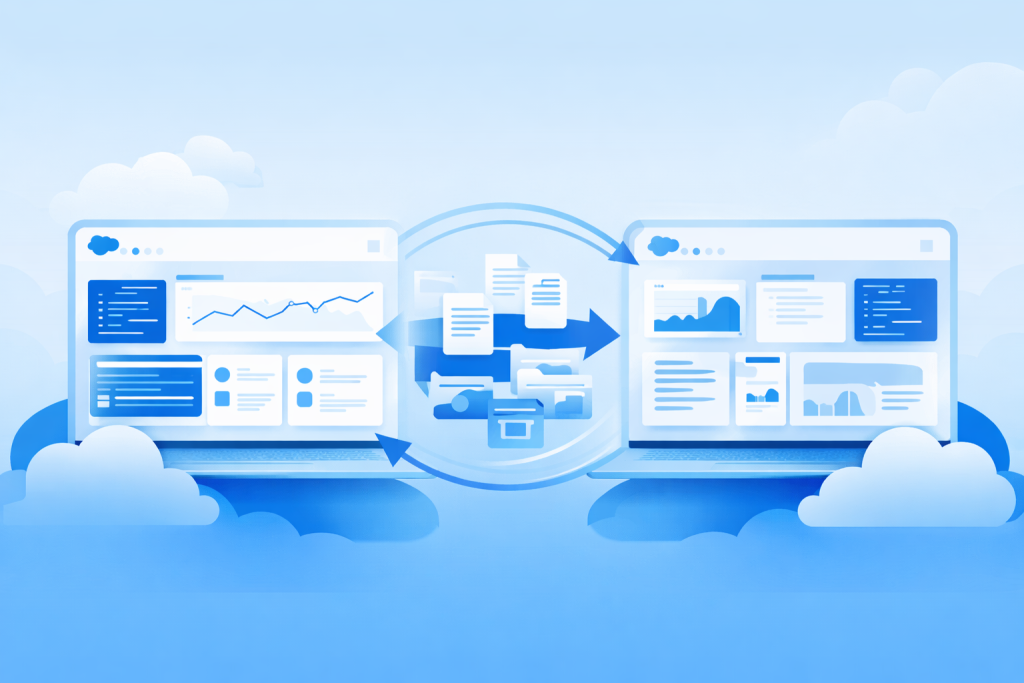
Introduction In the Salesforce ecosystem, moving metadata from one org to another is a common requirement during development, testing, or migration. One of the easiest ways to achieve this is by using Unmanaged Packages. An unmanaged package allows developers and administrators to distribute components such as Apex classes, flows, custom objects, Lightning components, and other metadata between Salesforce organizations. Unlike managed packages, the components inside an unmanaged package remain editable in the destination org. This makes unmanaged packages particularly useful for development sharing, backups, proof-of-concept deployments, and one-time migrations. In this guide, we will walk through the step-by-step process of deploying an unmanaged package from a source org to a target org. Prerequisites Before creating and deploying an unmanaged package, ensure you have the following access and permissions. 1. Access to Source Org You must have login credentials and administrative access to the Salesforce org where the package will be created. 2. Access to Target Org You also need access to the destination org where the package will be installed. 3. Required Permissions Ensure your Salesforce user has the following permissions: Without these permissions, you may not be able to create or install packages. Step 1: Create an Unmanaged Package in the Source Org The first step is to create the package that will contain all the components you want to migrate. Steps to create a package Once saved, Salesforce will create a container where you can add metadata components. Step 2: Add Components to the Package After creating the package, you must include the components that need to be migrated. Steps to add components Common components include: It is important to ensure all dependencies are included, otherwise installation in the target org may fail. Step 3: Upload the Package Once all required components are added, the package must be uploaded to generate a version. Steps to upload Salesforce will process the package and create a versioned upload. Depending on the number of components, the upload may take a few minutes to complete. Step 4: Get the Installation Link After the upload process finishes, Salesforce generates an installation URL. This URL allows the package to be installed in any Salesforce org that has access to the link. Steps You will use this link to install the package in the target org. Step 5: Install the Package in the Target Org Now that you have the installation link, the next step is installing the package in the destination org. Installation process Installation options usually include: Salesforce will begin installing the package and its components into the target org. Step 6: Post-Installation Steps After the installation completes, some additional steps may be required to ensure everything works properly. Verify Components Check if all components have been installed correctly: Assign Permissions Some components require specific permissions or permission sets. Make sure users who need access are assigned the appropriate permissions. Activate Flows Flows are often installed in inactive mode. You must manually activate the flows after installation. Important Notes There are a few key things to understand when working with unmanaged packages. Components Are Editable All metadata deployed through an unmanaged package can be modified in the destination org. This provides flexibility but also means changes cannot be centrally controlled. No Upgrade Support Unmanaged packages do not support version upgrades. If updates are required, you must manually deploy the updated components. Best for One-Time Deployment Unmanaged packages are best suited for: For continuous deployment, other tools may be more suitable. Common Issues and Fixes During deployment, you may encounter some common issues. Missing Dependencies Sometimes a component relies on another component that was not included in the package. Solution:Ensure all dependencies are added before uploading the package. Apex Test Failures Salesforce requires minimum 75% Apex code coverage. Solution:Run tests and ensure the coverage meets Salesforce requirements. Flow Issues Flows may not function correctly if they are not activated. Solution:Activate the flows after installation. Permission Issues Users may not be able to access certain components. Solution:Assign the correct profiles or permission sets. Conclusion Unmanaged packages offer a simple and flexible way to move metadata between Salesforce organizations. They are particularly useful for development environments, quick migrations, and sharing configurations across teams. However, because unmanaged packages lack version control and upgrade capabilities, they are not ideal for long-term application distribution. For more advanced deployment workflows, organizations often use: Choosing the right deployment method depends on your development workflow, team size, and release management strategy.
Salesforce Blog: Deploying an Unmanaged Package to Another Org Read More »

Customer relationships sit at the heart of every successful business. However, managing those relationships effectively requires more than just storing customer data. Businesses must understand what is working, what needs improvement, and where opportunities exist. This is where Salesforce KPIs (Key Performance Indicators) become essential. Salesforce provides a powerful platform for tracking business performance, analysing customer interactions, and guiding decision-making. Yet many organisations only scratch the surface of what Salesforce can reveal. Tracking the right KPIs allows teams to understand sales efficiency, customer behaviour, and operational performance in a structured way. In this article, we will explore 14 Salesforce KPIs every business should monitor to improve performance, strengthen customer relationships, and make better strategic decisions. 1. Lead Conversion Rate The lead conversion rate measures how effectively your sales team converts leads into customers. This KPI helps businesses evaluate the quality of their leads and the effectiveness of their sales process. If the conversion rate is low, it may indicate issues with lead qualification, messaging, or follow-up processes. Salesforce enables businesses to track each lead throughout its journey. With proper configuration and automation, organisations can identify which channels generate the most valuable leads and where improvements are required. 2. Opportunity Win Rate The opportunity win rate shows the percentage of sales opportunities that turn into successful deals. This KPI reflects the effectiveness of your sales strategy and team performance. A higher win rate generally indicates that your team is targeting the right prospects and presenting strong value propositions. Salesforce dashboards make it easier to analyse win rates across different industries, regions, and product categories. Consequently, managers can refine their sales strategy and allocate resources more efficiently. 3. Sales Cycle Length The sales cycle length measures the time taken to convert a lead into a paying customer. Shorter sales cycles often indicate efficient processes, clear communication, and strong product positioning. Conversely, longer sales cycles may signal decision-making delays or unclear value propositions. Using Salesforce analytics, businesses can monitor how long deals remain in each stage. Subsequently, teams can identify bottlenecks and implement workflow improvements to accelerate deal closure. 4. Customer Acquisition Cost (CAC) Customer Acquisition Cost represents the total cost required to acquire a new customer, including marketing and sales expenses. Tracking CAC helps organisations understand whether their customer acquisition strategies are sustainable and profitable. Salesforce integrates data from sales and marketing activities, allowing businesses to calculate acquisition costs more accurately. When used alongside revenue metrics, this KPI provides valuable insights into long-term growth. 5. Customer Lifetime Value (CLV) While acquiring customers is important, retaining valuable customers is even more critical. Customer Lifetime Value measures the total revenue a customer generates throughout their relationship with your business. This KPI helps companies prioritise long-term customer relationships rather than focusing solely on short-term sales. Salesforce customer data enables organisations to track purchasing patterns, engagement levels, and retention rates. Therefore, businesses can develop personalized strategies that increase long-term customer value. 6. Lead Response Time In today’s competitive market, response speed matters significantly. Lead response time measures how quickly your sales team responds to a new enquiry or lead submission. Research consistently shows that faster responses increase the likelihood of conversion. Salesforce automation tools allow businesses to trigger instant notifications, assign leads automatically, and ensure no enquiry goes unnoticed. This KPI encourages teams to remain proactive and attentive to potential customers. 7. Customer Retention Rate Customer retention rate measures the percentage of customers who continue doing business with your company over time. High retention rates indicate strong customer relationships, reliable service delivery, and effective engagement strategies. Salesforce allows businesses to monitor customer interactions, support cases, and communication history. Consequently, teams can identify early warning signs of dissatisfaction and take proactive steps to improve customer experience. 8. Pipeline Value Pipeline value represents the total potential revenue from active sales opportunities. Monitoring this KPI helps organisations forecast future revenue and evaluate whether they have enough opportunities to meet their targets. Salesforce dashboards provide clear visibility into the sales pipeline. Managers can assess deal stages, identify high-value opportunities, and ensure sales teams maintain a healthy pipeline at all times. 9. Pipeline Coverage Ratio The pipeline coverage ratio compares the value of sales opportunities in the pipeline against the revenue targets. For example, if a company aims to generate £1 million in revenue, it may require a pipeline worth £3 million to achieve that goal. This ratio helps organisations determine whether their pipeline is strong enough to support growth objectives. Salesforce reporting tools enable leaders to monitor pipeline coverage in real time and adjust their strategies accordingly. 10. Customer Satisfaction Score (CSAT) Customer satisfaction is a critical indicator of long-term success. The Customer Satisfaction Score (CSAT) measures how satisfied customers are with your products, services, or support. Salesforce integrates feedback tools and survey systems that collect customer responses after interactions or purchases. This information provides valuable insights into service quality and customer expectations. Businesses that consistently track CSAT can quickly identify areas for improvement and maintain stronger customer relationships. 11. Case Resolution Time For organisations providing customer support, case resolution time is a vital KPI. This metric measures how long it takes for support teams to resolve customer issues after they are reported. Salesforce Service Cloud helps track support tickets, assign cases to the appropriate teams, and monitor resolution performance. Therefore, businesses can maintain efficient support systems and deliver timely solutions to customers. 12. Email Engagement Rate Email communication remains an important component of customer engagement. The email engagement rate measures how customers interact with marketing or communication emails. Metrics such as open rates, click-through rates, and responses provide valuable insights into customer interest and engagement levels. Salesforce marketing tools allow organisations to analyse these metrics and optimise their communication strategies. 13. Sales Activity Metrics Sales activity metrics track the daily actions performed by the sales team, including calls, meetings, emails, and follow-ups. Although these activities do not directly generate revenue, they play a crucial role in driving conversions. Salesforce provides detailed activity tracking, allowing managers to monitor productivity
14 Salesforce KPIs You Should Track Read More »