
Our Products
Smarter Salesforce. Built for the Way You Work.
At 9to9Clouds, we engineer purpose-built Salesforce applications that eliminate friction, reduce manual effort, and put control back in the hands of admins and developers.
Product 1
Audit360 — The Intelligent Salesforce Monitoring Platform
Secure. Monitor. Stay compliant.
Is your Salesforce org truly secure? Every login, every change, every action matters. Audit360 gives you complete visibility, real-time alerts, and actionable insights across your entire org — in one intelligent dashboard.
Risk Score
Login Monitor
Field Access & Field Tracking
Audit trail
Challenges & Solutions
Challenge
Solution
Challenge
Solution
Challenge
Solution
Frequently Asked Questions
Audit360 covers identity and access (logins, field access), configuration changes (audit trail, field tracking), data and reports (reports, API activity), and operations and health (job monitor, error monitor, email tracking) — all from a single dashboard.
It’s a single, real-time score summarizing your org’s overall security posture, so admins can see at a glance whether the org is in a healthy state or needs review.
Yes. The Audit Trail logs every setup change with the action taken, the section affected, who made it, when, and its assigned risk level.
Product 2
Universal Automation Switcher
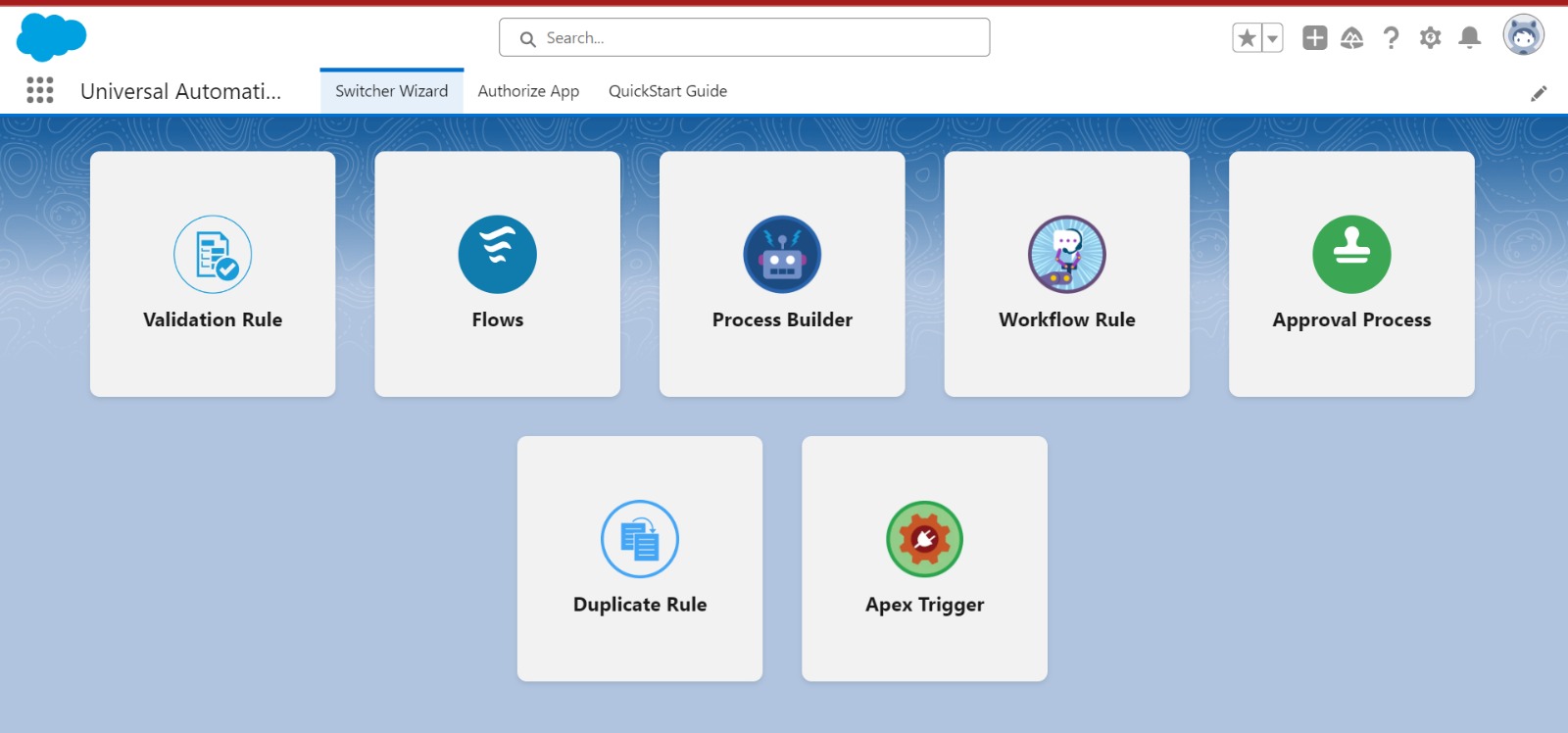
The definitive control panel for all your Salesforce automation. Toggle flows, process builders, validation rules, and workflow rules – individually or in bulk – without touching Setup.
One-click toggle
Tooling API powered
Metadata API support
Unified interface
Challenges & Solutions
Challenge - Data migration disruptions
Solution - Bulk disable before import
Challenge - Debugging complex flows
Solution - Granular isolation
Challenge - Sandbox testing interference
Solution - Environment-level control
Frequently Asked Questions
The app supports Flows (all types), Workflow Rules, Process Builder processes, and Validation Rules – covering virtually all declarative automation in Salesforce.
Yes. The app uses the same Tooling and Metadata APIs that Salesforce itself uses. All changes are logged and reversible. We recommend testing in sandbox first for critical workflows.
No. The interface is designed for Salesforce admins. No Apex, no API calls, no Setup navigation – everything is managed through the app’s Lightning-native UI.
Product 3
Bulk Field Creator - MetaHelper
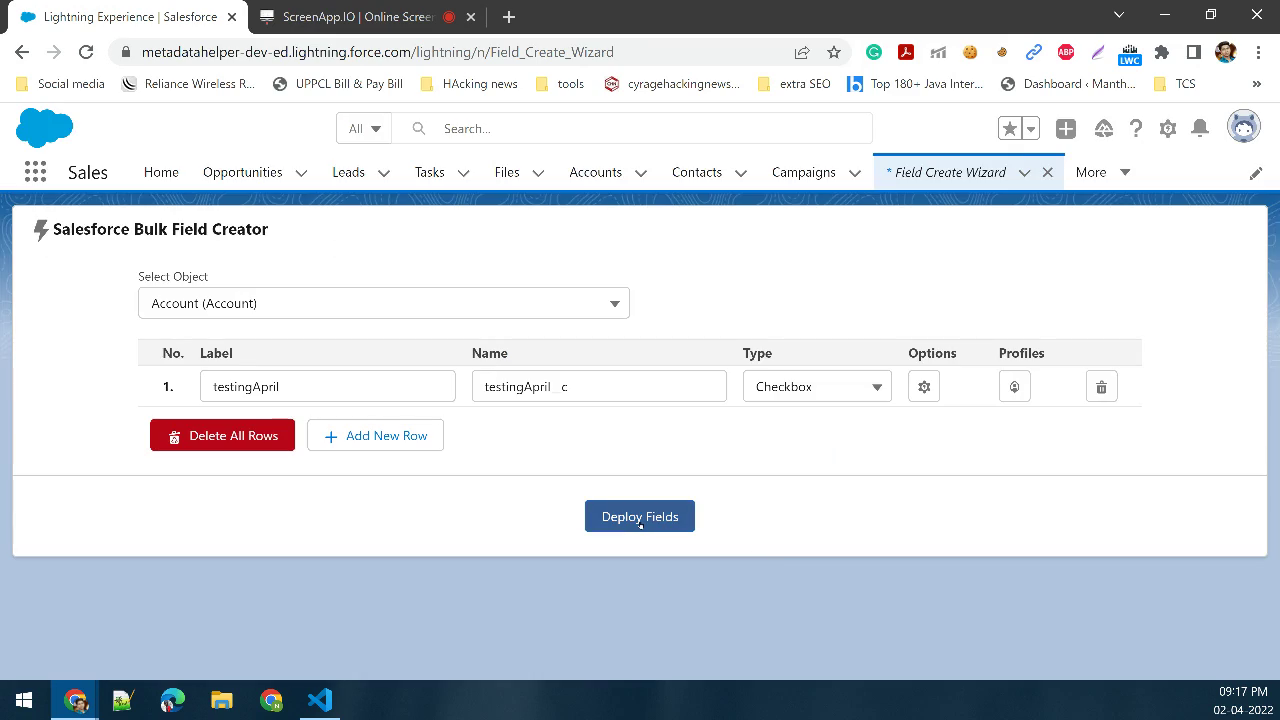
The fastest way to create multiple Salesforce custom fields at once – complete with automatic API name generation, field-level security configuration, and real-time status tracking, all from a single LWC-powered page.
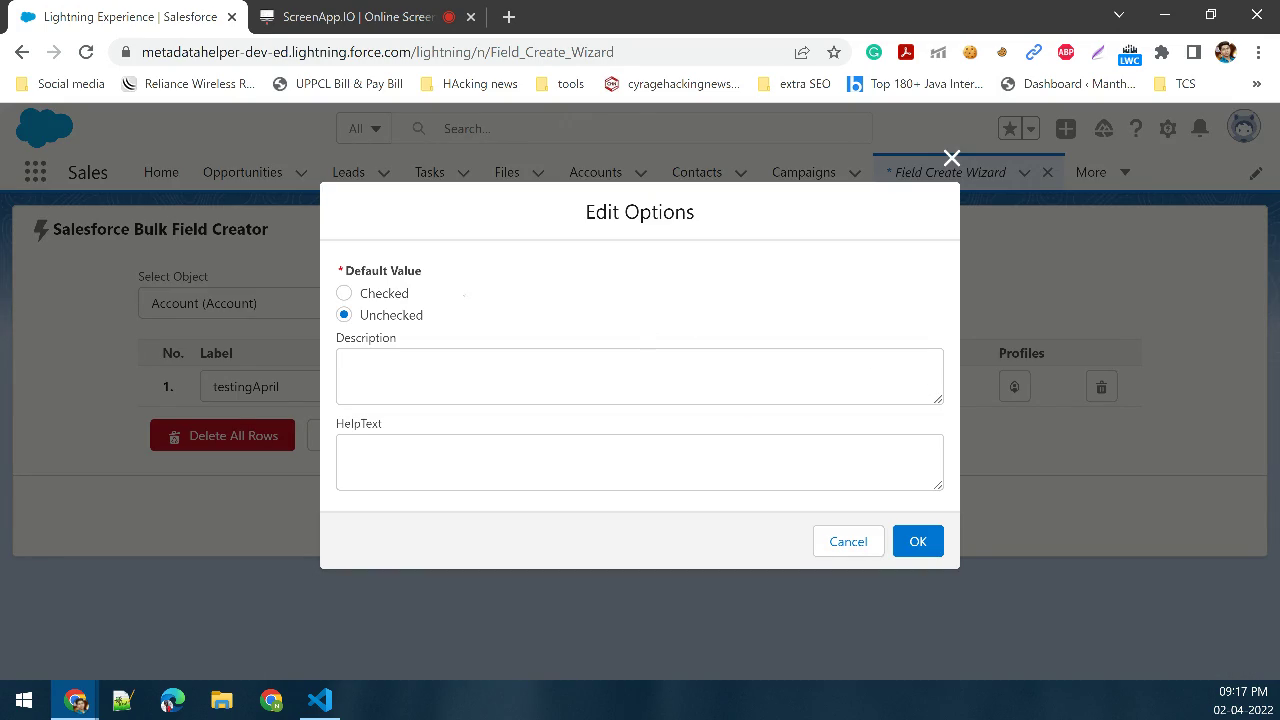
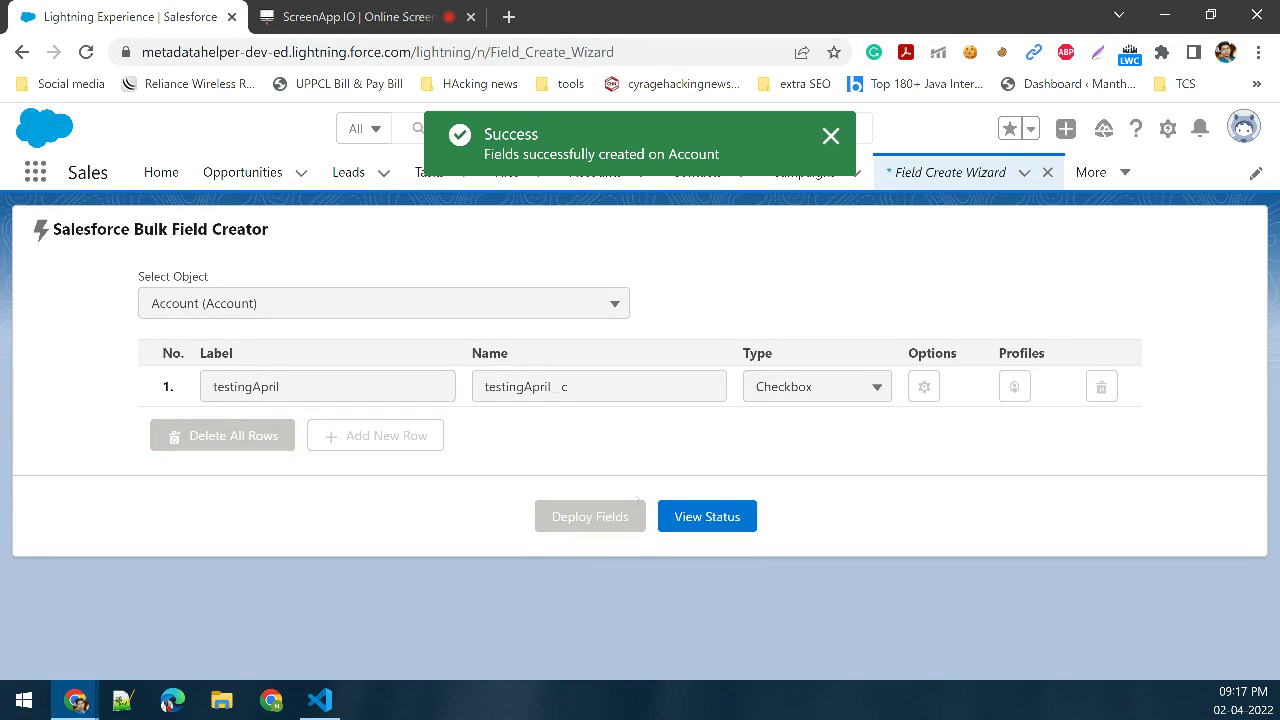
True bulk creation
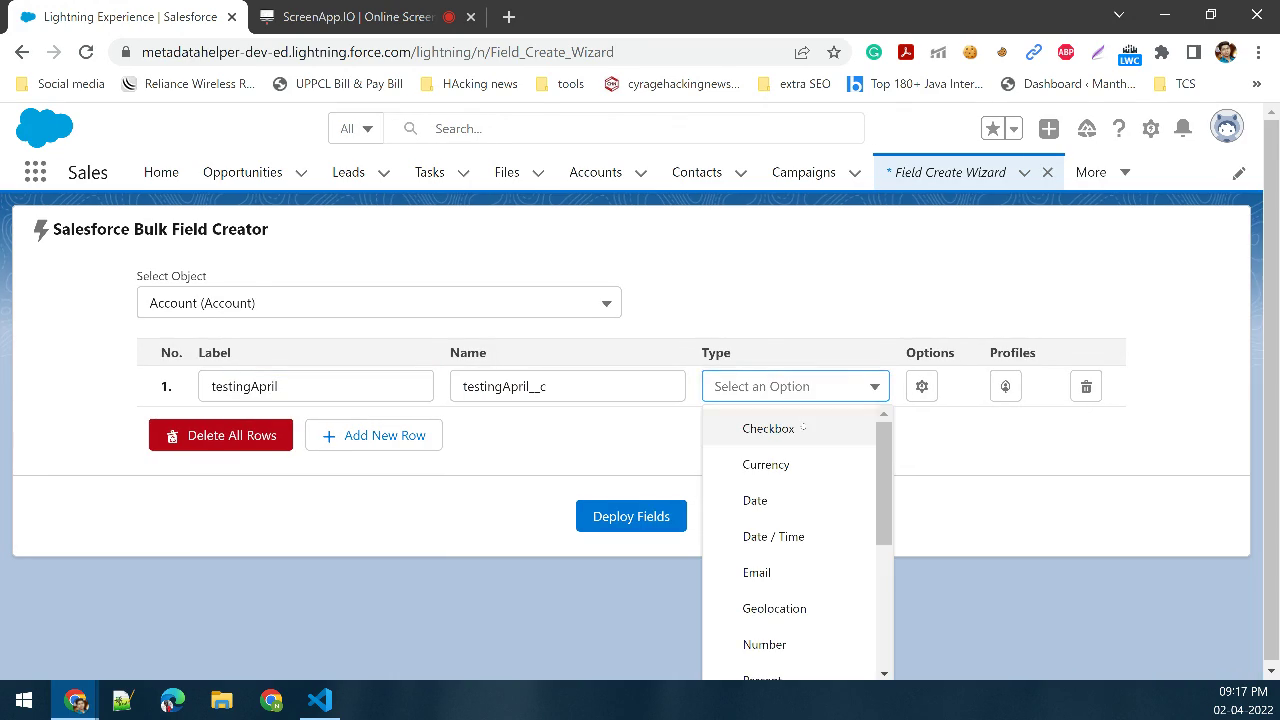
Auto API name population
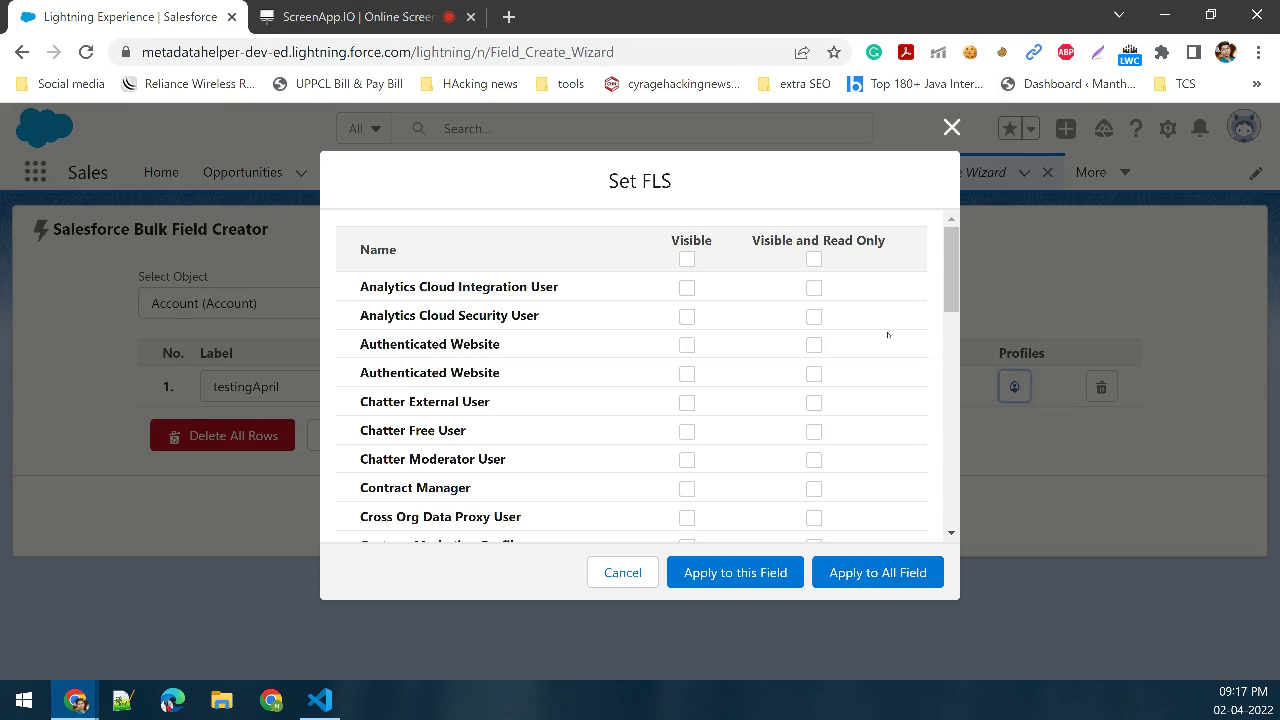
FLS in one click
Assign field-level security to all created fields simultaneously - no separate profile editing required.
Real-time status
Challenges & Solutions
Challenge - Creating fields one by one
Salesforce's native Setup requires creating each field individually - a time-consuming process for large data models or project rollouts.
Solution - Batch field creation
Challenge - Manual API name errors
Solution - Intelligent auto-population
Challenge - Post-creation FLS setup
After creating fields, admins must manually configure field-level security for every profile - a repetitive, error-prone task.
Solution — Inline FLS configuration
Frequently Asked Questions
There is no hard limit imposed by the app. Field creation will continue until Salesforce’s per-object governor limit for custom fields is reached. The app displays real-time progress and notifies you of any limit-related stops.
Bulk Field Creator supports all standard Salesforce custom field types – Text, Number, Date, Checkbox, Picklist, Lookup, Currency, Formula, and more.
Yes. You can define FLS settings per field during the creation process, or use the one-click option to apply uniform security settings across all fields in the batch.
Ready to elevate your Salesforce experience?
Explore both products on the Salesforce AppExchange and see the 9to9 difference – practical tools, crafted with precision, built for every admin and developer.