
to
Go to Omnistudio & select DataRaptor .
Click on the ‘New’ button, and in the type dropdown, select the data raptor we want to use. For now choose ‘Extract’.
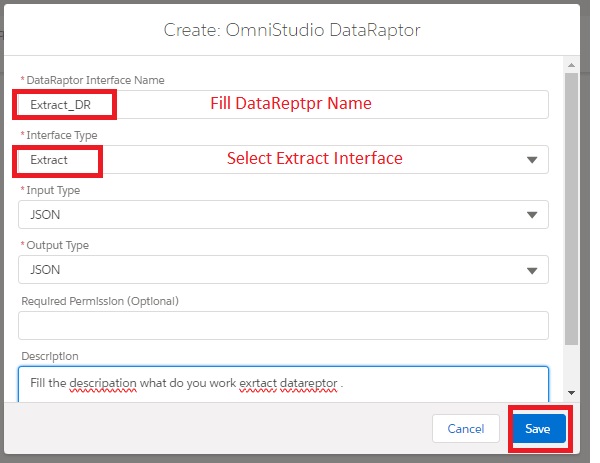
Save
“In the ‘Extract’ process, we essentially add extraction steps where we specify to the data raptor which objects and fields we need to retrieve.
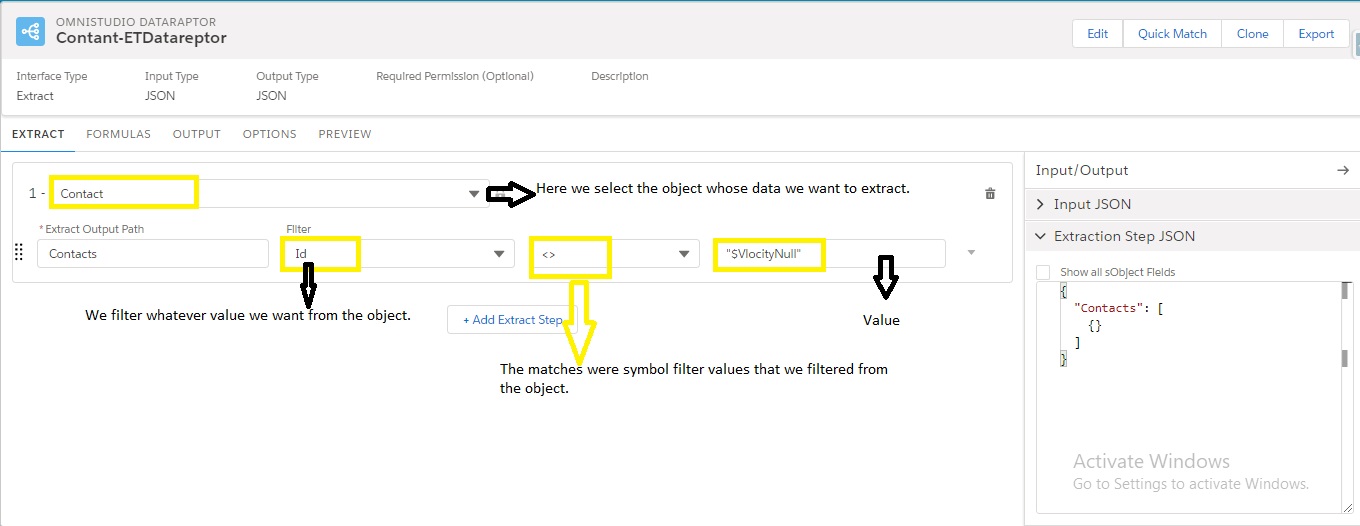
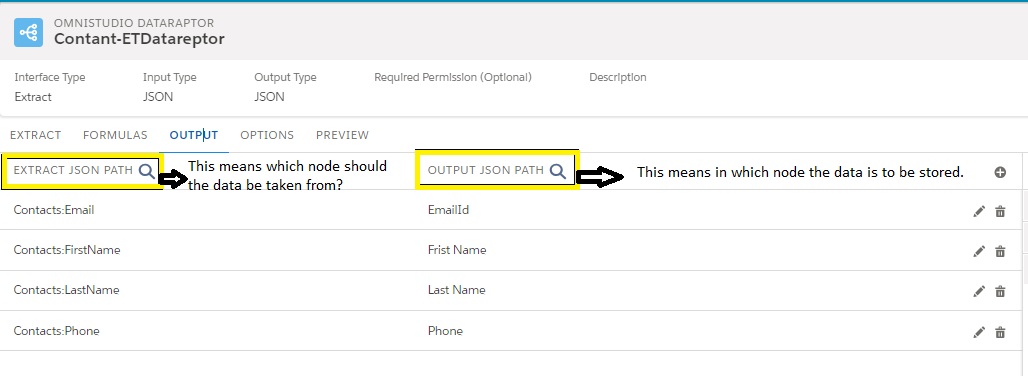
Click on the ‘Output’ tab and map the required data through the corresponding fields.
Salesforce guide == https://apisero.com/omnistudio-dataraptors-turbo-extract/
Note– While performing SObject mapping, it is necessary to map the required fields.
Go to the ‘Preview’ tab and execute.
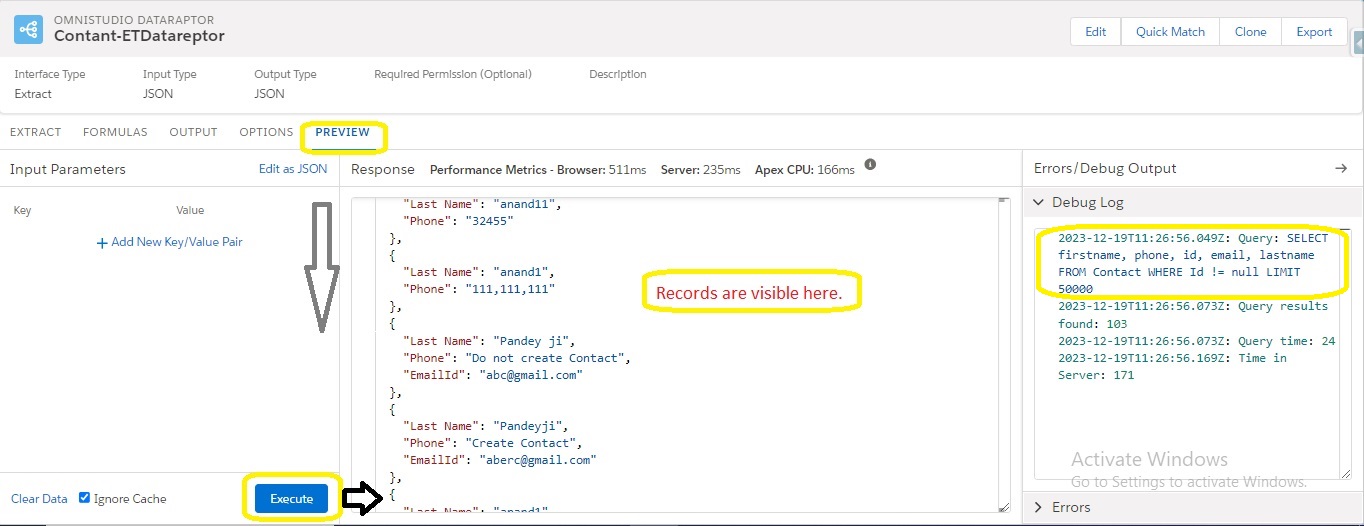
Records are visible here with SOQL Qurrey In Debug Log .
In this way you can get data from Extract DataRaptor …..