
Create a Extract DataRaptor.
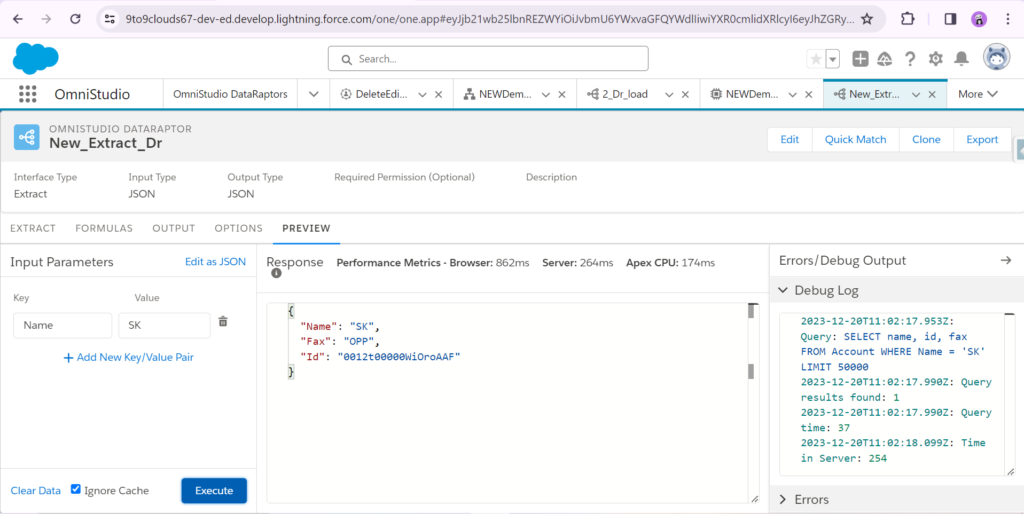
Create a Integration Procedures.
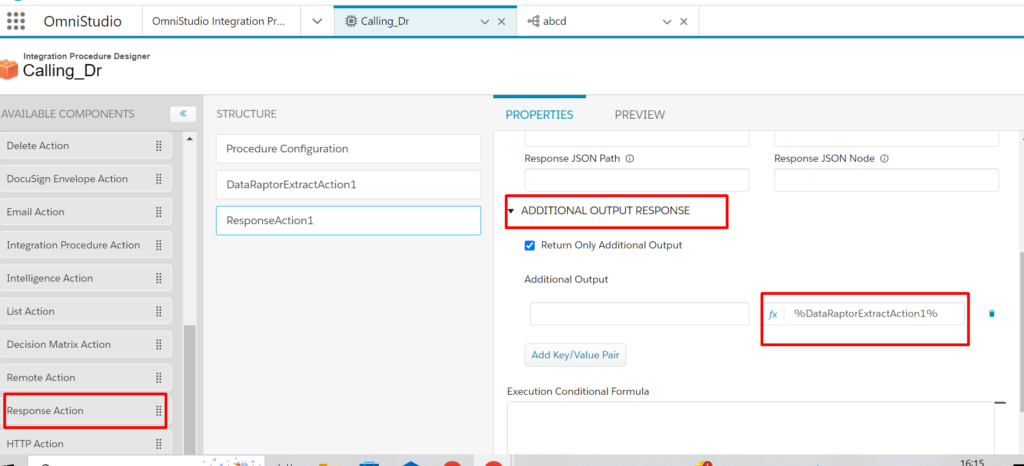
Select DataRaptor Extract Action. Click on DataRaptor Interface and Choose your DataRaptor.

Select Response Action and click ADDITION OUTPUT RESPONSE. Write %DataRaptorExtractAction1%
Click Preview. Click “+Add new Key\Value Pair” and fill “Key and Value” and click Execute .

Thanks bro🙏🏿🙏🏿🙏🏿🙏🏿