
Blogs

Salesforce AI

How Salesforce AI Is Transforming Customer Experience

Salesforce AI, Customer expectations have not simply risen over the past few years. They have fundamentally changed in character. Speed, relevance, and personalisation used to be qualities that distinguished exceptional businesses from average ones. They are now the baseline. A customer who waits hours for a response to a straightforward enquiry, or receives a promotional message with no connection to their recent interactions with the brand, does not consider that a minor inconvenience. They consider it a reason to look elsewhere. Delivering individually relevant experiences to thousands of customers simultaneously is not something a team can sustain through effort and goodwill alone. The operational reality of doing it consistently, across every channel, at every stage of the customer relationship, requires technology that can carry the weight of that consistency. Salesforce AI, spanning Agentforce, Einstein, and the intelligence layer embedded across Marketing Cloud, Loyalty Cloud, and OmniStudio, is the commercial answer to that challenge. At 9To9Clouds, we implement these capabilities for businesses across financial services, healthcare, retail, and technology. This guide explains precisely where and how Salesforce AI is changing customer experience in practice. The Foundation: Why Data Quality Determines AI Quality Before any Salesforce AI capability is configured, there is a prerequisite that is too frequently underestimated: the quality and completeness of the customer data the AI will operate on. AI does not correct poor data. It amplifies whatever it finds. A CRM with fragmented records, missing fields, or inconsistent data entry produces AI-driven recommendations that are confident and incorrect, which is considerably more damaging than no AI at all. Salesforce CRM provides the unified customer record that the entire AI layer depends on. Every purchase, every service interaction, every marketing touchpoint, every communication preference is consolidated into a single profile that Agentforce agents and Einstein models read from and write back to. Without that consolidation, AI personalisation has no reliable signal to work from. Building the correct data model is therefore the first practical task in any Salesforce AI implementation. This means having the right custom objects, the right fields, the right relationships, and the right validation rules in place before AI tools are configured on top of them. Our Bulk Field Creator on the AppExchange addresses the most time-consuming part of this preparation: creating multiple custom fields simultaneously, with automatic API name population and field-level security managed in the same action. It is the practical starting point for building a data model that Salesforce AI can actually use. Our Salesforce CRM services include the data architecture work that makes the AI layer trustworthy from day one. Agentforce: AI That Takes Action, Not Just Recommendations Agentforce is the most significant AI development in the Salesforce ecosystem and the capability that most directly changes what customer experience looks like in day-to-day operations. Previous generations of CRM AI surfaced information and suggestions. Agentforce acts on them. The distinction matters enormously in practice. Earlier AI tools told a sales representative which lead to prioritise. Agentforce contacts that lead, logs the interaction in the CRM, sends the follow-up message if there is no response, and escalates the opportunity to a human agent when a live conversation is warranted — without a person managing each of those steps. The customer’s experience is faster, more consistent, and entirely unaffected by team capacity or working hours. Service Experience In customer service, Agentforce handles inbound queries autonomously, resolving straightforward requests without placing the customer in a queue. Only complex cases requiring human judgement are escalated, which means service teams spend their time on the interactions where they add the most value. Average handling time drops. First-contact resolution rates improve. Customer frustration is reduced before it has the chance to compound. Sales Experience For sales teams managing large pipelines, Agentforce maintains the consistency of follow-up that human teams cannot sustain at volume. An enquiry submitted at any hour receives a qualified, contextually appropriate response within minutes. Leads that show renewed engagement after a period of inactivity are automatically prioritised. Deals showing disengagement signals receive proactive outreach before the opportunity closes. Proactive Customer Engagement Perhaps the most commercially valuable Agentforce use case is proactive engagement: identifying signals of dissatisfaction or churn risk in CRM data and initiating outreach before the customer raises a complaint or cancels. The customer who receives a thoughtful, relevant message at the right moment experiences something qualitatively different from the customer who only hears from a brand when they themselves make contact. Our Agentforce Development Services cover the full design, build, and integration of AI agents tailored to your specific sales, service, and engagement workflows. Einstein AI: Prediction and Intelligence Across the Platform Einstein is Salesforce’s native AI layer, distinct from Agentforce in a specific and important way. Where Agentforce takes autonomous action, Einstein provides prediction, scoring, and contextual recommendations that inform both automated processes and the decisions of human team members. The two work in tandem across the Salesforce platform rather than serving the same function. Lead and Opportunity Scoring Einstein analyses historical win and loss data to assign each lead and opportunity a score reflecting its likelihood of converting. Sales teams directed by Einstein scoring spend their time on prospects with genuine purchase intent rather than distributing effort equally across a pipeline of variable quality. The customer experience benefit is indirect but real: prospects who receive timely, well-informed attention from a sales team convert at higher rates and enter the customer relationship with a stronger first impression of the business. Next Best Action Einstein Next Best Action surfaces contextual recommendations directly on the Salesforce record page during a live customer interaction. A service agent handling a complaint sees a recommended resolution approach based on how similar cases were resolved most effectively. A sales representative in a renewal conversation sees the product or pricing configuration most likely to retain that specific customer. These recommendations do not override human judgement — they sharpen it. Sentiment Analysis and Case Classification Einstein reads the emotional tone of incoming customer communications and routes high-frustration interactions to the

How Salesforce AI Is Transforming Customer Experience Read More »

Salesforce customization

Salesforce Customization: Everything You Need to Know

Salesforce Customization is a genuinely powerful platform straight out of the box. However, a standard Salesforce environment is designed to work for everyone, which means it is not optimised for anyone in particular. The businesses that extract the strongest commercial value from Salesforce are not simply the ones that bought the right licence. They are the ones that took the time to build an environment that reflects how their organisation actually operates. That process is Salesforce customization. It is not one tool or one technique. It is a layered discipline that spans simple admin configuration at one end and sophisticated bespoke development at the other, with several important layers in between. Understanding those layers, and knowing which approach is appropriate for which requirement, is what separates a Salesforce environment that drives the business from one that the team simply tolerates. At 9To9Clouds, we work across every layer of Salesforce customization. This guide covers each one in practical terms, so you can approach any customization conversation with clarity. Why Salesforce Customization Matters A Salesforce environment that has not been customised to fit the business creates a specific and avoidable problem: the team adapts its processes to match the software rather than the software supporting how the team works. That reversal quietly undermines the entire purpose of a CRM implementation and is one of the most common reasons Salesforce adoption rates disappoint. Well-executed customization addresses this from three directions. First, it raises user adoption because people are more inclined to use a system that feels designed for them rather than one they have to work around. Second, it improves data quality because the fields, validation rules, and input structures have been built around the data the business actually needs rather than generic defaults. Third, it accelerates process execution because automation and guided workflows replace the manual steps that currently slow teams down. The return on a Salesforce investment is largely determined by the quality of the customization built on top of it. Our Salesforce CRM services are structured around this principle from the first conversation. Layer One: Declarative Customization Declarative customization is everything that can be configured through Salesforce’s admin interface without writing a single line of code. Salesforce refers to this as “clicks not code”, and it covers a significant proportion of what most businesses need from the platform. Custom objects extend Salesforce’s standard data model to accommodate the specific entities a business works with. A professional services firm might create a Project Tracker object. A healthcare organisation might build a Referral object. Each custom object can hold its own fields, relationships, page layouts, and automation rules, functioning exactly like a standard Salesforce object but built around the business’s own terminology and structure. Custom fields sit within those objects and capture the specific data points the business requires. Validation rules enforce data quality at the point of entry, preventing incomplete or incorrectly formatted records from being saved in the first place. Page layouts and record types control which fields and sections each team sees, so a sales representative and a service agent looking at the same account record see the information relevant to their respective roles. Salesforce Flow Builder handles process automation within the declarative layer. Flows can trigger on record events, execute on a schedule, or be launched by a user action, and they can update records, send notifications, create related records, and call external services, all without Apex code. Custom field creation at scale is one area where the admin workload can become significant. Our Bulk Field Creator on the AppExchange allows administrators to create multiple custom fields simultaneously, with automatic API name population and field-level security configuration applied in the same action — removing a task that would otherwise require creating each field individually. For further detail on declarative UI options, our guide on how to add a custom icon to a tab in Salesforce demonstrates the level of refinement available within the admin interface. Layer Two: Automation Customization Automation customization sits above declarative configuration and focuses specifically on the logic that runs in the background, responding to data changes and user actions to execute business processes without manual input at each step. Flow automation covers the majority of use cases: record-triggered flows that fire when a specific condition is met, scheduled flows that process batches of records at a defined interval, and screen flows that guide users through a structured process. Beyond Flow, some organisations maintain legacy Workflow Rules for simpler field update and email alert scenarios, though Salesforce’s direction is to consolidate all automation within the Flow framework. As an automation environment grows in complexity, managing the rules themselves becomes a discipline in its own right. During data migrations, integration events, and testing cycles, having active automation rules fire against the records being processed frequently creates data integrity issues. Deactivating and reactivating individual rules manually introduces both risk and overhead. Our Universal Automation Switcher on the AppExchange addresses this directly. It allows administrators to toggle automation rules on or off, individually or collectively, using the Tooling API and Metadata API — giving teams precise control over their automation environment during exactly the events when that control matters most. Layer Three: Code-Based Customization When the declarative and automation layers reach the boundary of what they can handle, code-based customization takes over. In Salesforce, this means Apex on the server side and Lightning Web Components on the front end. Apex Apex is Salesforce’s proprietary, Java-like server-side programming language. It executes within Salesforce’s infrastructure and is governed by platform-level resource consumption limits that prevent any single process from degrading performance for other users. Well-structured Apex always accounts for these limits from the outset rather than discovering them under production load. Apex Triggers execute automatically before or after a record is inserted, updated, or deleted, allowing custom logic to run as part of the standard record save process. Apex Classes contain reusable blocks of business logic that can be called from triggers, Flows, OmniStudio components, or other classes. Batch

Salesforce Customization: Everything You Need to Know Read More »

Salesforce Marketing Cloud

Salesforce Marketing Cloud: Features, Benefits & Use Cases

Salesforce Marketing Cloud was built to address exactly this challenge. It gives marketing teams the tools to understand each customer as an individual and to communicate with them accordingly, at scale, across every channel they use. It is not simply an email platform. It is an end-to-end customer engagement system connected directly to your CRM data. At 9To9Clouds, we implement and optimise Marketing Cloud for businesses across retail, financial services, healthcare, technology, and professional services. This guide covers the platform’s core features, the benefits it delivers in practice, and the industry scenarios where it performs most strongly. What Is Salesforce Marketing Cloud? Salesforce Marketing Cloud (SFMC) is a dedicated digital marketing automation and analytics platform that sits within the broader Salesforce ecosystem. It manages customer communications and campaigns across email, SMS, mobile push notifications, social media, paid advertising, and web personalisation, all from a single interface. What distinguishes it from standalone marketing tools is its direct connection to Salesforce CRM. Every Marketing Cloud campaign is informed by the actual customer data held in your CRM: purchase history, lifecycle stage, service interactions, and engagement behaviour. This connection means your marketing activity reflects the current state of each customer relationship rather than assumptions built on outdated segments. The practical result is a platform where personalisation is not a feature you switch on for a single campaign but a structural characteristic of how communications are designed and delivered. Our Salesforce Marketing Cloud services are built around this principle from the first day of engagement. Core Features of Salesforce Marketing Cloud Journey Builder Journey Builder is the centrepiece of Marketing Cloud and the feature that most visibly separates it from basic campaign tools. It is a visual canvas for designing multi-step customer journeys that respond to real behaviour rather than scheduled broadcasts. A journey might begin when a customer makes their first purchase online. They receive a branded welcome email on day one, an SMS three days later if they have not logged back into the platform, and a personalised product recommendation by push notification at the end of the first week. Every step is triggered by what the customer does, or does not do, rather than what the marketing team happens to schedule. Journey Builder makes this level of responsiveness manageable at scale without requiring manual intervention for each customer. Email Studio Email Studio handles the design, personalisation, and delivery of email campaigns. Its drag-and-drop builder accommodates marketers without a technical background, while dynamic content blocks allow a single email template to display entirely different content to different subscriber segments based on CRM data fields, purchase behaviour, or location. Send-time optimisation uses engagement data to deliver each email at the moment each individual recipient is most likely to open it. A/B testing compares subject lines, content, and send times across audience segments before a full campaign is committed. These capabilities shift email from a volume game to a precision exercise. Mobile Studio SMS remains one of the highest-engagement channels available to marketers, with open rates that significantly exceed email. Mobile Studio manages both SMS campaigns and push notification programmes within the same platform, covering transactional messages such as order confirmations and appointment reminders as well as promotional communications. For businesses running loyalty programmes, Mobile Studio handles the real-time delivery of points updates, tier notifications, and personalised offers. Our blog on managing SMS subscriptions in Salesforce Loyalty with Attentive Webhooks offers a detailed look at how webhook-driven SMS communication works in a live loyalty context. Advertising Studio Advertising Studio connects your CRM data to paid campaigns on Google, Facebook, Instagram, LinkedIn, and YouTube. It enables three high-value use cases: suppressing existing customers from new acquisition campaigns to avoid wasted spend, building lookalike audiences modelled on your highest-value customer segments, and retargeting prospects based on their CRM engagement history rather than anonymous web behaviour alone. Analytics Builder and Einstein AI Analytics Builder provides real-time campaign performance reporting and cross-channel attribution, so marketing leaders understand which journeys, which channels, and which content types generate the strongest commercial return. Einstein AI, embedded across Marketing Cloud, surfaces insights and next-best-action recommendations without requiring a dedicated data analyst to interpret the output. It also drives send-time optimisation, subject line recommendations, and churn propensity scoring at the contact level. Our Salesforce Marketing Cloud implementation services configure reporting and Einstein capabilities alongside the core platform so analytics are usable from go-live rather than bolted on later. Key Benefits of Salesforce Marketing Cloud Personalisation That Scales The most significant benefit Marketing Cloud delivers is the ability to treat every customer as an individual without requiring a proportional increase in marketing resource. Dynamic content, behavioural triggers, and CRM data integration make it possible to send communications that feel personally considered even when the audience numbers in the millions. Higher open rates, stronger click-through, and measurably better conversion rates are the consistent outcomes. Reduced Operational Overhead Automating repetitive tasks including scheduling, audience segmentation, follow-up sequencing, and send-time optimisation returns substantial time to the marketing team. That time shifts from execution work, which the platform handles, to strategic planning and creative development, which genuinely require human judgement. Teams that previously spent two days a week managing campaign logistics find themselves spending that time on the work that moves the business forward. A Shared View of the Customer Across Marketing and Sales When Marketing Cloud is connected to Salesforce CRM, every marketing touchpoint, every email opened, every SMS responded to, every journey milestone reached, is recorded against the customer’s CRM record. Sales representatives pick up prospect conversations informed by a complete engagement history rather than guessing where a contact is in their decision process. Our Salesforce CRM services include the data connection configuration that makes this bi-directional visibility reliable. Measurable Return Across Every Channel Marketing Cloud’s reporting architecture attributes commercial outcomes to specific journeys, channels, and content types. Marketing spend is no longer justified by impression counts or open rates alone. It is evaluated against pipeline contribution, revenue generated, and customer lifetime value metrics drawn

Salesforce Marketing Cloud: Features, Benefits & Use Cases Read More »

Saleforce

Why Businesses Are Switching to Salesforce in 2026

Something consistent is happening across industries right now. Businesses that spent years managing their customer relationships through a combination of legacy CRMs, spreadsheets, and disconnected tools are making a deliberate move. They are not switching platforms out of convenience or curiosity. They are switching because the gap between what their current systems can support and what their business actually needs has become too wide to ignore. The direction of that move, in 2026 more than any previous year, is towards Salesforce. And the reasons are specific enough to be worth examining carefully, particularly if your own organisation is approaching a similar decision. At 9To9Clouds, we work with businesses across financial services, healthcare, retail, manufacturing, and technology as they navigate this transition. What follows is an honest account of what is actually driving that shift. Legacy Systems Have Reached Their Ceiling The most common trigger we hear from businesses considering a switch is not a single catastrophic failure. It is the accumulation of smaller ones: a report that takes three days to compile because the data lives in four different places, an automation workflow that breaks every time someone leaves the team, a sales process that depends entirely on individual memory rather than a system that holds institutional knowledge. Legacy CRMs were often selected when the business was smaller, the team was leaner, and the requirements were simpler. They did their job at the time. The problem is that the business has changed substantially since then, and the platform has not kept pace with it. Patching around the edges of an insufficient system has a compounding cost. Each workaround adds a new layer of complexity, each manual step introduces the possibility of error, and the overhead required to maintain the whole structure quietly consumes resource that could be directed elsewhere. Salesforce addresses this by consolidating what most businesses currently manage across multiple tools into a single, integrated platform. Our Salesforce CRM implementation services are designed specifically to make that consolidation structured and sustainable rather than disruptive. Agentforce Has Changed What AI in a CRM Actually Means If there is one development that distinguishes 2026 from every previous year in the Salesforce adoption conversation, it is Agentforce. AI has been a feature of CRM marketing material for several years, but for much of that time it was limited to predictive lead scoring or basic recommendations generated from historical data. Agentforce is a different proposition. It enables the creation of autonomous AI agents that take contextual action within Salesforce workflows without requiring a human to manage each step. A sales agent can qualify inbound enquiries, update opportunity records, send follow-up communications, and flag deals showing disengagement signals, all based on live data and configurable business logic rather than static rules. The practical consequence for businesses that have deployed it is measurable: faster response times, more consistent follow-up, and sales teams spending a greater proportion of their time on conversations that require human judgement rather than administrative tasks that do not. The competitive pressure dimension is equally important to acknowledge. Businesses that have adopted Agentforce are operating differently from those that have not. That gap is becoming visible in conversion rates, customer retention, and team capacity. Organisations evaluating a CRM switch in 2026 are increasingly factoring AI readiness into their decision, and Salesforce is the platform where that capability is most mature and most directly embedded into the sales and service workflow. Our Agentforce Development Services cover the full build, configuration, and integration of AI agents tailored to your specific workflows and commercial objectives. Industry-Specific Tools That Generic Platforms Cannot Replicate Most CRM platforms are built around a generalised sales pipeline model. That model works adequately for straightforward B2B businesses with a linear purchase process. It works poorly for organisations in regulated industries, businesses with complex product structures, or companies whose customer relationships involve multiple departments, long sales cycles, and significant post-sale service obligations. Salesforce addresses this through OmniStudio, the industry-specific development framework formerly known as Vlocity. OmniStudio provides pre-built components and workflow frameworks designed for the operational and compliance realities of particular industries. In financial services, that means household data management, compliant communication workflows, and audit-ready process documentation built into the platform architecture rather than added on top of it. In healthcare, it means patient journey management, consent handling, and care coordination across multiple providers within a governed data environment. In telecommunications and insurance, it means complex product configuration, claims handling, and service management frameworks that would take years to replicate on a generic CRM. The practical advantage of these pre-built frameworks is not just speed of deployment, though they do accelerate implementation considerably. It is the reduction in compliance risk that comes from working within a structure that was designed for your regulatory environment rather than adapted to fit it. Our Vlocity and OmniStudio services include both greenfield implementations and migrations from generic CRM environments. Our blog on finding components with Salesforce OmniStudio Explorer gives a practical look at how the OmniStudio development environment works. The AppExchange Ecosystem Removes the Need to Build From Scratch One of the less-discussed but consistently valuable advantages of switching to Salesforce is the AppExchange. With over 10,000 pre-built applications, connectors, and industry solutions that integrate directly with the Salesforce platform, it means most new capability requirements can be met without custom development. When a business needs a specific tool for contract management, document generation, advanced analytics, event management, or field service, there is almost always a verified, Salesforce-native solution available on the AppExchange. This removes the development cost, reduces the implementation timeline, and ensures the tool operates within the same data model as the rest of the platform. Our own AppExchange products reflect the depth of platform knowledge we bring to every engagement. The Universal Automation Switcher allows administrators to toggle Salesforce automation rules, individually or in bulk, through the Tooling API and Metadata API, which is particularly valuable during migrations and data events when running active automations creates risk. The Bulk Field Creator enables

Why Businesses Are Switching to Salesforce in 2026 Read More »

Salesforce vs other crm

Salesforce vs Other CRMs: Which Is Best for Your Industry?

Choosing a CRM is one of the more consequential technology decisions a business makes. Get it right and you have a platform that grows with your organisation, connects your teams, and gives you a reliable view of every customer relationship. Get it wrong and you spend the next two years working around a system that does not quite fit. The challenge is that most CRM platforms look broadly similar at first glance. They all promise better pipeline management, smarter reporting, and improved customer engagement. The real differences only become apparent when you examine how each platform handles the specific demands of your industry. This guide cuts through the noise with an honest, industry-by-industry comparison. At 9To9Clouds, we work exclusively with Salesforce, so our perspective is informed by hands-on experience rather than theory. We also believe in being straightforward with our clients: Salesforce is not always the right answer for every situation, and we will say so where that is the case. The CRM Landscape in 2025: Who Are the Real Contenders? Before getting into industry specifics, it helps to understand what each major platform actually brings to the table. The comparison below covers the four most widely evaluated CRMs alongside Salesforce.   Salesforce HubSpot Dynamics 365 Zoho Industry depth Excellent Limited Good Basic Customisation Extensive Moderate High (complex) Moderate AppExchange / Marketplace 10,000+ apps 1,500+ apps 4,000+ apps 800+ apps AI / Automation Agentforce AI Basic AI Copilot AI Basic AI Best for SMBs Scalable from SMB Yes – free tier Microsoft orgs Budget-focused OmniStudio / Industry CRM Yes (native) No No No CPQ capability Native & robust Add-on only Add-on only Basic Loyalty Cloud Native Not available Not available Not available Salesforce holds the broadest capability by a significant margin, particularly when it comes to industry-specific frameworks, native CPQ, AI-powered automation through Agentforce, and the depth of the AppExchange marketplace. However, that breadth comes with a higher implementation investment, which is why the right choice genuinely depends on your industry, your scale, and your plans for growth. Financial Services: Compliance, Client Complexity, and Long-Term Relationships Financial services is one of the most demanding environments for any CRM. Regulatory obligations, complex multi-product client relationships, audit trail requirements, and the sensitivity of the data involved mean that a generic sales tool simply does not hold up. Salesforce Financial Services Cloud was built specifically for this sector. It manages household and relationship hierarchies, tracks referrals across teams, and supports compliant data handling in a way that out-of-the-box HubSpot or Zoho cannot. For firms dealing with insurance, wealth management, lending, or corporate banking, the structural fit is considerably stronger. Salesforce OmniStudio adds another layer of value here. Pre-built industry frameworks reduce deployment time and compliance risk, while components like OmniScripts and DataRaptors handle structured data workflows that financial processes require. Our Vlocity and OmniStudio services are regularly engaged by financial services organisations for precisely this reason. Our blog on finding components with Salesforce OmniStudio Explorer offers a practical introduction to how these tools work in a live environment. Microsoft Dynamics 365 is a credible alternative for firms already embedded in the Microsoft ecosystem. However, reaching equivalent Salesforce functionality typically requires deeper integration investment and a broader Microsoft product stack. HubSpot and Zoho are not designed for the compliance and relationship complexity this sector requires. Healthcare and Life Sciences: Patient Data, Care Coordination, and Regulatory Precision Healthcare organisations operate at the intersection of commercial and clinical demands, and that tension shapes everything about how their CRM needs to function. Patient confidentiality, care pathway coordination, consent management, and compliance with data protection regulations are non-negotiable requirements, not optional extras. Salesforce Health Cloud provides a unified view of patient and provider relationships, care programme management, and the kind of structured data governance that clinical environments require. Its enterprise-grade security architecture aligns with HIPAA and NHS data standards in a way that HubSpot and Zoho are not positioned to match. OmniStudio’s guided user flows are well-suited to structured administrative and clinical workflows, where consistency and accuracy are essential. Our guide on the difference between DataRaptors and Integration Procedures in OmniScript explains how these components handle data exchange between Salesforce and connected systems in practice. Dynamics 365 does offer some healthcare-specific capability, but it typically requires substantial third-party configuration to reach clinical-grade standards. For organisations where patient data security and care coordination are central, Salesforce Health Cloud remains the stronger foundation. Our Salesforce CRM implementation services include specific experience with healthcare deployments across both clinical and commercial functions. Retail and Consumer Businesses: Loyalty, Personalisation, and Omnichannel Reach Retail is where the volume and velocity of customer interactions make generic CRM tools feel limiting very quickly. Managing thousands of customers across physical stores, e-commerce, apps, and social channels simultaneously requires a platform that connects marketing, loyalty, and service in one place rather than relying on patchwork integrations. Salesforce Marketing Cloud enables personalised, automated customer journeys across every channel, informed by real-time behavioural data. The ability to segment audiences dynamically, track campaign performance, and respond to customer actions in the moment gives retail teams a meaningful operational advantage. Salesforce Loyalty Cloud is, to our knowledge, the only native loyalty management solution built directly into a major CRM platform. It supports points accumulation, tiered membership structures, and personalised reward mechanisms without requiring a separate platform or complex integration. Our blogs on how points and tiers work in Salesforce Loyalty Cloud and managing SMS subscriptions in Salesforce Loyalty with Attentive Webhooks cover the practical detail of how these capabilities are deployed. HubSpot handles marketing well for smaller retail operations, but it lacks native loyalty management and the depth needed for large-scale omnichannel engagement. Dynamics 365 Commerce exists as an alternative, though it functions best when paired with other Microsoft tools, which increases both cost and integration complexity. Our Salesforce Marketing Cloud services help retail businesses build customer engagement programmes that are measurable, scalable, and genuinely personal. Manufacturing: Complex Quoting, Distribution Channels, and ERP Integration Manufacturing businesses face a set of CRM

Salesforce vs Other CRMs: Which Is Best for Your Industry? Read More »

Top Benefits of Salesforce CRM for Growing Companies

Top Benefits of Salesforce CRM for Growing Companies

Growth is exciting. It is also, quite honestly, the moment when the systems and processes that once felt adequate begin to show their cracks. More customers to manage, more deals in the pipeline, more teams working across more channels, and suddenly the spreadsheet that held everything together no longer holds anything together at all. This is precisely where Salesforce CRM earns its place. Not as a luxury reserved for large enterprises, but as the operational foundation that growing businesses need to scale with clarity, consistency, and confidence. At 9To9Clouds, we work with organisations at exactly this stage of their journey. What follows is a practical look at what Salesforce CRM genuinely delivers for companies in growth mode. 1. A Unified View of Every Customer One of the most immediate benefits of Salesforce CRM is the elimination of fragmented customer data. In a growing business, it is common for sales, marketing, and support teams to hold different pieces of information about the same customer, often in different places. The result is inconsistency, duplication, and conversations that leave customers feeling like no one actually knows them. Salesforce CRM consolidates every interaction, purchase, support case, and communication into a single, complete customer record. Every team member who touches that account works from the same information. Therefore, your customers receive a coherent, connected experience regardless of which department they are dealing with. Our Salesforce CRM implementation services are specifically designed to ensure this unified view is built correctly from the outset, not patched together later. 2. Real-Time Pipeline Visibility and Revenue Forecasting Growing companies often rely on intuition when it comes to forecasting revenue. Sales managers track deals through a combination of memory, weekly calls, and manually updated spreadsheets. This approach works up to a point, but it breaks down quickly as the team expands and the pipeline grows more complex. Salesforce CRM gives leadership a live, accurate view of the entire sales pipeline. Deal stages, expected close dates, individual rep performance, conversion rates, and stalled opportunities are all visible at a glance. Managers can intervene early, redirect focus, and build forecasts based on real data rather than optimism. This level of visibility is what allows growing businesses to plan ahead rather than react constantly, and it is one of the clearest differences between companies that scale sustainably and those that struggle to do so. 3. Faster, More Accurate Quoting with Salesforce CPQ As sales volume increases, manual quoting becomes a genuine bottleneck. Pricing errors, inconsistent discount structures, and lengthy approval chains all slow down the journey from conversation to closed deal. Salesforce CPQ (Configure, Price, Quote) automates the entire quoting process directly within the CRM. Sales reps can generate accurate, professionally formatted quotes without leaving Salesforce, with the right pricing rules and approval workflows built in. The outcome is shorter sales cycles, fewer errors, and a more consistent customer experience from the very first proposal. Our Salesforce CPQ services help growing businesses remove quoting friction and close deals with greater speed and confidence. 4. Smarter Customer Engagement Through Marketing Cloud Growth is not only about winning new customers. It is equally about retaining the ones you have and deepening those relationships over time. Salesforce Marketing Cloud connects your CRM data directly to your marketing activity, enabling personalised, multi-channel campaigns that reflect what you actually know about each customer. Automated nurture sequences, real-time campaign tracking, and precise audience segmentation mean your marketing becomes progressively sharper as your customer data grows. Rather than sending the same message to everyone, your team can deliver the right communication at the right moment, across email, SMS, social media, and paid advertising. For growing businesses that also want to build structured customer loyalty, our blog on how to create a successful loyalty programme is a useful companion to this section. Our Salesforce Marketing Cloud services are built around helping businesses get measurable returns from their marketing investment. 5. Customer Loyalty That Scales With Your Business Retaining existing customers is significantly more cost-effective than acquiring new ones, and this reality becomes even more consequential as a company scales. Salesforce Loyalty Cloud allows growing businesses to build structured, points-based rewards programmes that keep customers engaged and coming back, without the overhead of managing a separate platform. Tiers, personalised incentives, and automated rewards create a customer experience that feels considered rather than generic. Subsequently, businesses that invest in loyalty at this stage of growth tend to build a far more stable and predictable revenue base. Our blogs on how points and tiers work in Salesforce Loyalty Cloud and managing SMS subscriptions in Salesforce Loyalty with Attentive Webhooks offer practical guidance on how these capabilities work in real deployments. 6. Automation That Frees Your Team to Focus on Growth As a business grows, repetitive administrative tasks consume an increasing proportion of your team’s time. Lead assignment, follow-up reminders, approval requests, data entry, and status updates are all necessary but none of them require human judgement to complete. Salesforce CRM automates these routine processes through built-in workflow tools and Flow automation, ensuring tasks happen consistently and without manual intervention. Your team is freed to focus on the work that genuinely requires their skills: building relationships, solving problems, and closing business. For companies ready to take this further, Agentforce introduces AI-powered agents capable of handling intelligent, conversational workflows across customer-facing and internal operations alike. Our Agentforce Development Services help organisations design and deploy AI agents that extend the value of their Salesforce investment without adding headcount. 7. Extending Capability Through AppExchange One of the most practical advantages Salesforce offers growing businesses is the AppExchange ecosystem. Rather than commissioning bespoke development every time you need new functionality, AppExchange provides thousands of pre-built applications that integrate directly with your existing Salesforce environment. At 9To9Clouds, we have developed our own, AppExchange products that address specific operational challenges many growing businesses face. Our Universal Automation Switcher makes it straightforward to manage and toggle automation rules across your Salesforce org, individually or collectively, without disrupting live processes. Our Bulk

Top Benefits of Salesforce CRM for Growing Companies Read More »

The Complete Guide to Salesforce Implementation for Businesses

The Complete Guide to Salesforce Implementation for Businesses

Salesforce Implementation for Businesses is the world’s leading CRM platform, used by over 150,000 businesses globally. However, purchasing a Salesforce licence is only the beginning. Implementation is where strategy meets technology, and where organisations either unlock real, lasting value or struggle to justify the investment. This guide covers everything you need to know, from selecting the right Salesforce cloud to managing post-launch performance. If you would like expert support at any stage,9To9Clouds is ready to help. What Is Salesforce Implementation and Why Does It Matter? Salesforce implementation is the process of configuring, customising, and deploying the Salesforce platform to align with your specific business processes. It is not simply a matter of switching on an account. It involves mapping workflows, migrating data, building out components, integrating existing tools, training your team, and ensuring long-term adoption. A well-executed implementation produces tangible results: shorter sales cycles, stronger customer retention, clearer reporting, and better alignment across teams. A rushed or poorly planned one, however, tends to result in low adoption, fragmented data, and a system people work around rather than with. The difference between the two almost always comes down to process and the expertise behind it. Ourend-to-end Salesforce implementation services are designed around that reality. Choosing the Right Salesforce Cloud for Your Business Salesforce is not a single product. It is an ecosystem of purpose-built clouds, each designed for a specific business function. Selecting the right combination for your organisation is the most consequential decision you will make at the start of your implementation. Salesforce CRM: The Foundation This is where most businesses begin. Salesforce CRM brings your sales, service, and account management teams onto one platform, giving everyone a shared, accurate view of each customer. It manages leads, pipelines, opportunities, and cases, removing the reliance on scattered spreadsheets and disjointed inboxes. Salesforce CPQ: For Complex Sales Processes If your business involves configurable products, tiered pricing, or multi-step quote approvals, CPQ (Configure, Price, Quote) removes the friction from your sales cycle. It automates quote generation, reduces pricing errors, and shortens the time from conversation to close. Our Salesforce CPQ services help businesses move through the quote-to-cash process with precision and speed. Salesforce Marketing Cloud: For Customer Engagement at Scale Marketing Cloud enables your team to design and automate personalised customer journeys across email, SMS, social media, and paid advertising. It connects real-time behavioural data to every campaign decision, so your communications reach the right people with the right message at the right moment. Vlocity / OmniStudio: For Industry-Specific Needs Vlocity, now part of Salesforce OmniStudio, is built for industries with complex, regulated environments such as telecommunications, insurance, healthcare, and financial services. It provides pre-built industry frameworks using components like OmniScripts, FlexCards, DataRaptors, and Integration Procedures, significantly reducing deployment time. Our Vlocity/OmniStudio solutions are particularly valuable for sector-specific requirements. For a practical look at the toolset, read our guide on finding components with Salesforce OmniStudio Explorer. Agentforce: AI-Powered Automation Agentforce is Salesforce’s AI development platform, allowing businesses to build intelligent agents that automate workflows, handle customer interactions, and surface insights without manual intervention. It is one of the most significant developments in the Salesforce ecosystem and increasingly central to how forward-thinking businesses operate. 9To9Clouds offers dedicated Agentforce Development Services for organisations ready to introduce AI into their day-to-day operations. The Salesforce Implementation For Businesses Roadmap: Step by Step A successful implementation follows a clear, deliberate sequence. Understanding this roadmap helps you set realistic expectations and ask the right questions of any partner you engage. 1. Discovery and Requirements Gathering This is the most valuable phase of any implementation. Before any configuration begins, your partner should spend time understanding your business: interviewing stakeholders, mapping current processes, and defining what success looks like. The decisions made here shape everything that follows. 2. Solution Design and Architecture With requirements confirmed, the next step is designing a solution that is scalable and secure from the outset. This covers your data model, object structure, integration points, and the overall platform architecture. A well-designed foundation makes every subsequent phase significantly easier. 3. Configuration and Customisation This is where your Salesforce environment is actually built. Configuration uses Salesforce’s native, point-and-click tools. Customisation involves code, such as Apex classes, Lightning Web Components, or OmniStudio elements. The right balance between declarative and programmatic development depends entirely on your requirements. For a practical example of custom LWC development, our blog on building a searchable combobox picklist in Salesforce LWC illustrates how tailored components improve the user experience. 4. Data Migration Migrating historical data from legacy systems is consistently underestimated. It requires auditing existing data for quality, cleaning duplicates and inconsistencies, mapping fields to the new data model, and running test imports before the final migration. Poor data quality at this stage creates problems that are difficult to unwind later. 5. System Integration Most businesses run Salesforce alongside other platforms: ERPs, billing systems, marketing tools, or support software. Integration work ensures data flows cleanly and reliably between systems without duplication or latency. Getting this right is essential for a single, accurate view of your business. Our guide on the difference between DataRaptors and Integration Procedures in OmniScript is a useful reference for OmniStudio-based integration work. 6. Testing Rigorous testing protects you from costly issues after launch. This includes unit testing of individual components, user acceptance testing with real end users, and regression testing to confirm new functionality does not disrupt existing processes. Our blog on debugging OmniScripts and FlexCards using the OmniStudio Network Logger offers practical guidance for development teams working through this phase. 7. Training and Change Management Even the most technically sound implementation can fall short if your team is not prepared to use it. Role-based training, accessible documentation, and a thoughtful change management plan are what determine whether the platform gets adopted across the organisation. This phase deserves the same attention as any technical workstream. 9To9Clouds provides Salesforce Training and Career Support for individuals and teams at every stage of the Salesforce journey. 8. Go-Live and Ongoing Support Going live marks a milestone, not

The Complete Guide to Salesforce Implementation for Businesses Read More »

custom-icon-to-a-tab-in-Salesforce

How to Add a Custom Icon to a Tab in Salesforce

Adding a custom icon to a Salesforce tab makes your org look more personalized and professional. It helps users visually identify tabs faster and creates a polished user experience. While Salesforce provides default icons out of the box, using your own custom icons can reinforce branding and improve navigation clarity. In this guide, we’ll walk you through a step-by-step process to upload and assign custom icons to your Salesforce tabs. These instructions apply to users with administrator access and should be followed carefully for a smooth outcome. Why Add a Custom Icon to Your Salesforce Tab? Custom icons enhance usability and brand consistency across your Salesforce interface. Icons are especially useful in orgs with many custom objects or apps, where visual recognition improves efficiency. A well-chosen icon lets users quickly locate specific areas of your system without relying solely on text. In modern Lightning Experience, tailored icons contribute to a cleaner, more intuitive UI that aligns with your organization’s style and workflows. 🔹 Step 1: Upload Your Icon 🔹 Step 2: Assign the Icon to Your Custom Tab 🎉 Step 3: View Your Custom Tab Open your custom object tab in Salesforce — your personalized icon now appears beautifully beside the tab name! Best Practices for Custom Tab Icons Use Appropriate Image Formats and Sizes Typically, Salesforce tab icons work best when they are optimized for web usage. A lightweight PNG or SVG that’s visually clear at small sizes ensures fast loading and crisp display. Keeping files under 20 KB is recommended to avoid performance delays. Maintain Consistency Across UI Elements Your custom icons should match your overall Salesforce color scheme and styling standards. This creates a cohesive visual experience that aligns with your UI design and reduces cognitive load for users. Follow Naming Conventions When uploading multiple icons, use descriptive names that clearly identify their purpose. This practice helps administrators and developers maintain clarity when selecting icons for future tabs. Troubleshooting Common Issues Icon Not Appearing If your custom icon doesn’t display next to the tab after completing the configuration, first ensure that the image was marked as Externally Available during upload. If it still doesn’t appear, try refreshing your org or checking if permissions are properly configured for document visibility. Compatibility Across Editions Custom tab icons display in both Classic and Lightning Experience; however, the exact steps may differ slightly depending on your org’s configuration and feature availability. Custom object or web tabs generally need to be linked properly to the apps where they should appear. Conclusion Personalizing Salesforce navigation with custom tab icons enhances both aesthetics and usability, making it easier for users to find and interact with objects that matter most. By following the simple steps above, administrators can upload icons, assign them to tabs, and ensure that your org delivers a more polished and professional user experience. Ready to take your Salesforce UI to the next level? Start with well-designed icons, consistent naming, and clear organization — and watch how these small improvements make a big difference in daily usability.

How to Add a Custom Icon to a Tab in Salesforce Read More »

How to Import and Export in the New Standard OmniStudio

Salesforce’s OmniStudio platform enables rapid development of guided processes, data retrieval components, and user interfaces like OmniScripts, FlexCards, Integration Procedures, and more. However, after Salesforce introduced the new standard OmniStudio following the Industries Cloud migration, many admins and developers discovered that the familiar Import/Export buttons were missing from the OmniStudio Designer. Migrating components between environments — such as from sandbox to production — or sharing reusable assets across projects is a common requirement for Salesforce teams. Without clear guidance, this change in the UI can lead to confusion and slowdowns. This blog explains both your options for importing and exporting components in the new design: using Command Line Interface (CLI) and enabling the classic UI experience. Two Methods to Import/Export When Salesforce introduced the new standard OmniStudio after the Industries Cloud migration, many admins and developers noticed that the familiar Import/Export buttons were missing from the OmniStudio Designer. If you’ve been wondering how to migrate your OmniScripts, Integration Procedures, and FlexCards across orgs, here are the two methods you can use. Method 1: Use Salesforce CLI (Recommended) Salesforce has shifted the official support for Import/Export to the Salesforce CLI (SFDX). This is the preferred approach for automation, CI/CD pipelines, and bulk migration. Example: Export a specific OmniScript: SFDX omnistudio: export -p OmniScript -n “MyTestScript” -o ./export Using the Salesforce CLI is the recommended method for importing and exporting OmniStudio components. The CLI brings automation support, makes it ideal for team workflows, and fits naturally into a DevOps pipeline with version control and continuous deployment. Why Use CLI? Example: Exporting with CLI To export an OmniScript called MyTestScript to your local machine: SFDX omnistudio: export -p OmniScript -n “MyTestScript” -o ./export This command creates a local file (in JSON format) representing the OmniScript’s configuration and metadata. You can use similar commands for FlexCards and Integration Procedures by changing the -p parameter accordingly. Using CLI for Import Once you have the exported JSON files, you can import them into another org using a corresponding CLI command, maintaining structure and relationships. This is particularly useful in CI/CD environments where automated deployments are key. Method 2: Enable UI Import/Export via OmniStudio Settings If you prefer the classic UI experience of clicking buttons, Salesforce still provides a way to bring back the Import/Export feature inside Designer. Steps 1. Navigate to Setup → OmniStudio Settings.2.Enable Managed Package Designer.3.Refresh the OmniStudio Designer page.4.You will now see the familiar Import and Export buttons in the UI. Some users prefer a visual approach rather than command lines. If you are more comfortable with Salesforce’s point‑and‑click environment, you can re‑enable the classic Import/Export buttons by adjusting settings. When to Use UI Import/Export This method restores a familiar experience inside OmniStudio Designer, making it easier to select components, run exports, and track migrations — all through clicks instead of commands. Best Practices for Import/Export Workflows Regardless of the method you choose, the following practices help ensure success: 1. Backup Before You Export or Import Create backups in your source org before migrating components. This prevents accidental loss and lets you restore to a known good state. 2. Test in a Sandbox First Always perform import/export tasks in a sandbox before executing in production. This reduces risk and lets you debug any issues. 3. Maintain Clear Naming Conventions Use consistent naming for components, folders, and exported files. This simplifies searching and tracking when working with many assets. 4. Document Your Workflow Maintain a record of components exported, imported, and any changes applied during the migration process. Documentation supports auditing and future troubleshooting. 5. Use Version Control with CLI If you’re using Salesforce CLI, pair it with a version control system like Git to track configuration changes and enable rollback if needed. Troubleshooting Tips Conclusion Salesforce’s new standard OmniStudio has shifted migration workflows, removing familiar UI import/export buttons from the designer. Fortunately, you have two solid options: use Salesforce CLI for automation and scalability, or re‑enable the classic UI experience through settings when visual control is preferred. Both methods are valid and can be chosen based on your team’s workflow and preferences. By integrating the original blog text verbatim and expanding around it with detailed explanations, examples, and best practices, this version ensures your content stays intact while improving readability, SEO value, and practical usefulness.

How to Import and Export in the New Standard OmniStudio Read More »

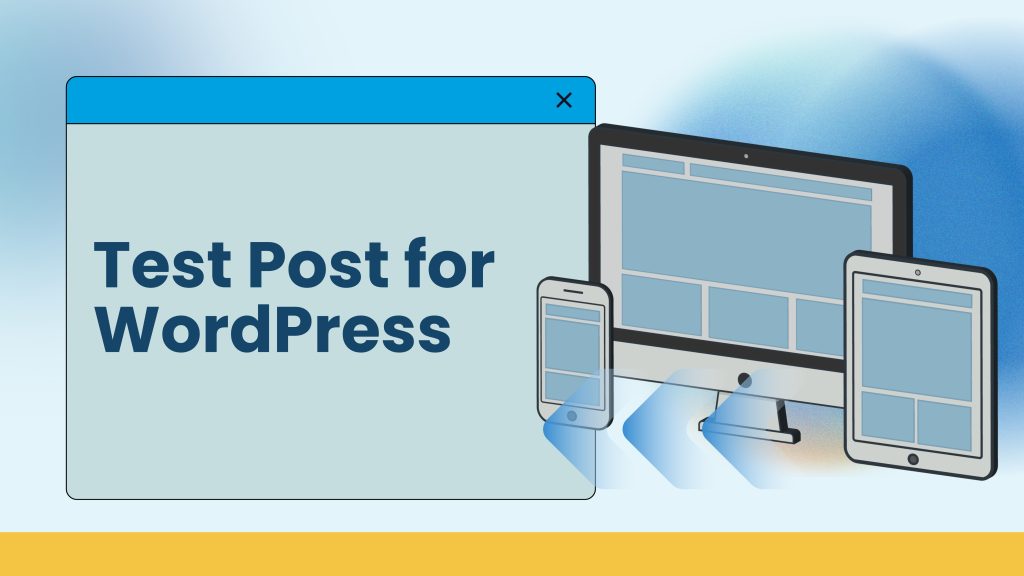
Test Post for WordPress

Content management systems play a crucial role in modern digital publishing, and WordPress remains one of the most widely used platforms globally. Whether you’re managing a blog, business website, or enterprise portal, understanding how content formatting works in WordPress is essential for maintaining consistency, readability, and user engagement. This post demonstrates basic WordPress formatting capabilities such as headings, text styling, lists, and links. While the original content serves as a test post, it provides a foundation for understanding how content elements behave within the WordPress CMS. Purpose of a Test Post in WordPress A test post like this is typically used to validate how content appears on the front end of a WordPress site. It allows content editors, developers, and administrators to verify: Theme styling consistency Font sizes and spacing Heading hierarchy List formatting Hyperlink behavior This is especially useful when setting up a new theme, customizing layouts, or validating changes after updates. Understanding Headings and Structure Headings such as “Subheading Level 2” help establish content hierarchy. Proper use of headings improves: Readability for users Accessibility for screen readers SEO through structured content WordPress supports multiple heading levels, allowing authors to create logically organized articles that are easier to scan and understand. Text Formatting Options The original content demonstrates three essential formatting styles: Bold text for emphasis Italic text for highlighting ideas Combined bold and italic for stronger emphasis Using these styles correctly helps draw attention to important points without overwhelming the reader. Lists and Bullet Points Bullet lists are effective for breaking down information into digestible pieces. In WordPress, lists are commonly used for: Feature highlights Instructions Benefits or requirements Proper formatting ensures lists render consistently across devices and browsers. Working with Links Including links, such as the official WordPress site link in the original content, serves several purposes: Provides reference material Improves content credibility Enhances SEO through relevant outbound links WordPress makes link management easy through its visual editor and block-based system. Step-Based Content Presentation The step-by-step format (“Step one, Step two, Step three”) is commonly used for: Tutorials Setup guides Process documentation This format improves clarity and helps users follow instructions sequentially. Why Demonstration Content Matters Demo or placeholder content is essential during development and testing phases. It allows teams to: Preview layout behavior Identify spacing or alignment issues Validate responsiveness across devices Confirm editor usability Once testing is complete, this content can be replaced with live, production-ready material. Best Practices When Using Test Content Clearly label test posts to avoid publishing accidentally Remove or replace demo content before launch Use realistic text lengths to simulate real-world scenarios Validate formatting on both desktop and mobile views Following these practices ensures smoother transitions from development to production. Conclusion This WordPress test post demonstrates fundamental formatting capabilities such as headings, styled text, lists, links, and step-based content. While the original content is intended purely for demonstration, it highlights how WordPress enables flexible, user-friendly content creation. Understanding these basics helps content teams build well-structured, visually consistent, and SEO-friendly pages — laying a strong foundation for scalable digital publishing.

Test Post for WordPress Read More »

Scroll to Top