
In this blog we create set value and populate the value in the field of omniscript when ever we select an option.
Create a Omniscript and drag SetValues.
Click on the setvalues.
Create two values in setvalues, see below image .

Drag Select Properties on the canvas. Click Add New Option in select input to make a picklist type value. Fill Value and Label field like below Image.

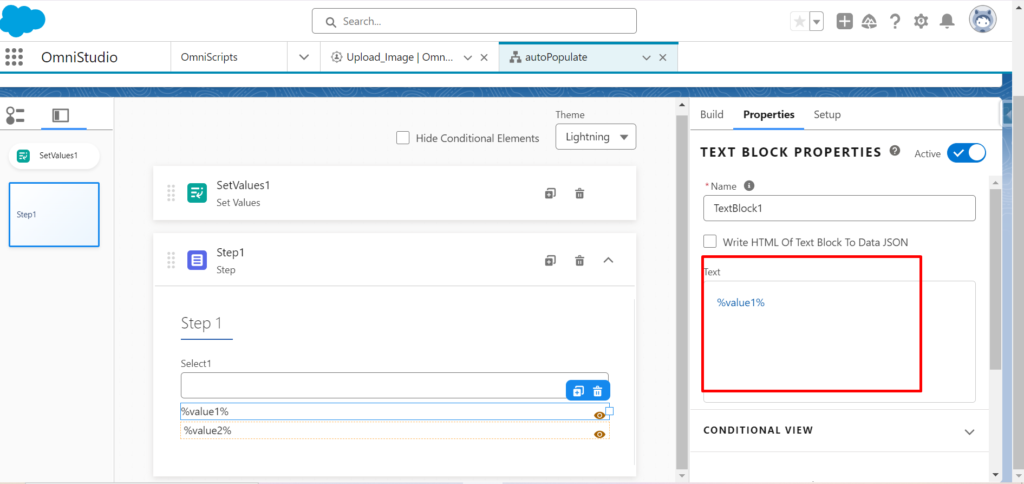
Select two text block poperties to show the result when we click on button / option. Click Text and fill values in %% sign like below image so we can get the action .

Click Preview and Select an Option we will see the value what we pass in setvalues .
