
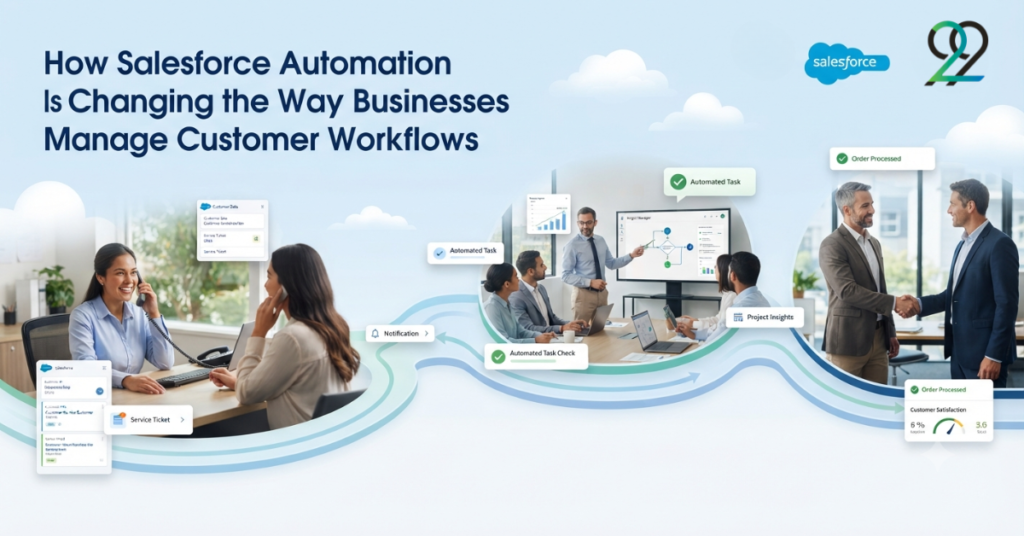
Customer workflows rarely stay simple for long. A business may begin with a straightforward process for handling leads, service requests, or customer follow-ups, but as the organization grows, more people, systems, approvals, and data points become involved. Before long, employees are spending valuable time moving information between screens, sending reminders, updating records, and checking whether the next step has been completed.
This is where Salesforce automation can make a practical difference. Instead of relying on employees to manually manage every stage of a customer workflow, businesses can automate repetitive activities and create structured processes inside Salesforce.
The goal is not to remove people from the process. It is to give them fewer routine tasks to manage and more time to focus on decisions, customers, and work that actually requires human judgment.
What Is Salesforce Automation?
Salesforce automation refers to using Salesforce capabilities to perform predefined tasks, update records, route work, trigger notifications, and manage business processes automatically.
Depending on the requirement, automation can handle relatively simple activities or support more complex workflows involving multiple systems.
Common examples include:
- Automatically assigning leads to sales representatives
- Creating follow-up tasks
- Sending notifications when records change
- Updating related Salesforce records
- Routing cases to appropriate teams
- Triggering approval processes
- Maintaining customer information
- Starting actions based on specific business conditions
A well-designed automation process works quietly in the background. Users see the outcome rather than every technical step happening behind it.
Reducing Repetitive Administrative Work
One of the clearest benefits of automation is reducing repetitive work.
Consider a customer service team that receives hundreds of cases every week. Without automation, employees may need to review each case, identify its category, determine the responsible team, assign it, and create follow-up tasks.
An automated workflow can handle much of this process based on predefined criteria.
The result is straightforward: employees spend less time performing administrative actions and more time resolving customer issues.
This becomes increasingly valuable as transaction volumes increase.
Creating Consistent Customer Workflows
Manual processes can vary from person to person. One employee may update a record immediately, while another may forget an important field or delay a follow-up.
Automation creates consistency.
For example, when a new customer reaches a particular stage, Salesforce can automatically create the required tasks, update relevant fields, notify the appropriate team, and trigger the next step.
This creates a repeatable process that does not depend entirely on individual memory.
For organizations with multiple teams or locations, that consistency can become particularly important.
Using Salesforce Flow for Process Automation
Salesforce Flow is one of the key tools organizations use to automate business processes within Salesforce.
Flows can be designed to respond to record changes, user actions, schedules, or other conditions. Depending on the use case, a Flow can collect information, update records, create related records, send notifications, and guide users through specific processes.
For example, a business could create a Flow that automatically creates a customer onboarding task whenever a new account reaches a particular status.
The process can then continue through additional stages without requiring someone to manually initiate each action.
Improving Lead Management
Sales teams often handle large numbers of leads, and speed matters.
A lead that remains untouched for too long can easily become a missed opportunity. Automation can help by assigning new leads to the appropriate representative, creating follow-up tasks, and notifying sales teams when action is required.
Businesses can also establish rules for lead routing based on factors such as geography, product interest, industry, or lead source.
This creates a more organized sales process while reducing the chance that important opportunities are overlooked.
Automating Customer Service Processes
Customer service is another area where automation can have a direct impact.
When a customer submits a case, Salesforce can automatically categorize or route the request based on predefined criteria. The system can assign the case to the appropriate queue, notify the responsible team, and initiate follow-up actions.
Automation can also help manage escalation processes.
If a case remains unresolved beyond a defined period, the system can notify a manager or move the case to another stage.
This creates greater process visibility without requiring employees to manually monitor every record.
Connecting Automation With OmniStudio
Businesses using Salesforce OmniStudio can combine automation with digital experiences.
For example, an OmniScript may guide a customer through a multi-step process while DataRaptors retrieve information and Integration Procedures coordinate backend operations.
The experience can then trigger Salesforce actions based on the customer’s input.
This creates a connected workflow in which the customer-facing experience and internal business process work together.
Automation and Data Accuracy
Manual data entry is one of the common sources of inconsistent information.
When users repeatedly enter the same information into different records or systems, errors can occur.
Automation can reduce unnecessary duplication by updating related records automatically or transferring information between connected processes.
For example, when an opportunity reaches a particular stage, Salesforce can update associated records or initiate the next business process without requiring the user to enter the same information again.
Cleaner data also makes reporting and decision-making more reliable.
Integrating External Systems
Modern customer workflows rarely exist entirely within one platform.
A business may use Salesforce alongside an ERP, marketing platform, payment system, customer portal, or other application. Automation becomes more powerful when these systems can communicate with one another.
Through Salesforce integrations, businesses can trigger processes based on information received from external systems and synchronize relevant data.
This reduces disconnected workflows and creates a more unified operational environment.
Building Scalable Automation
Automation should be designed carefully. Adding too many rules without a clear structure can make Salesforce difficult to maintain.
A scalable approach starts by identifying repetitive processes and determining which actions genuinely benefit from automation.
Businesses should consider:
- Which tasks are repetitive?
- Where do delays usually occur?
- Which processes create frequent errors?
- What decisions can safely be automated?
- Where is human approval still required?
- Which external systems need to be connected?
Answering these questions before development helps prevent unnecessary complexity.
How 9to9Clouds Supports Salesforce Automation
9to9Clouds provides Salesforce-focused solutions covering automation, OmniStudio, CPQ, integrations, customization, and digital transformation.
The approach centers on understanding business processes before implementing technical solutions. Automation is designed around practical requirements rather than adding workflows simply because the platform supports them.
This can help organizations create cleaner processes that are easier to manage and expand.
Conclusion
Salesforce automation is changing how businesses manage customer workflows by shifting repetitive activities from manual processes to structured, technology-driven workflows.
From lead assignment and customer service to approvals, notifications, data updates, and system integrations, automation can improve speed and consistency across the customer lifecycle.
The most effective implementations are not necessarily the most complicated ones. They are the ones that identify genuine process problems and use automation to solve them without creating unnecessary technical complexity.
As businesses grow, that balance becomes increasingly valuable. A well-designed Salesforce automation strategy can help teams work more efficiently while creating a smoother and more consistent customer experience.