OmniScript is widely used to build guided, interactive user experiences in Salesforce. While OmniScript handles user interaction effectively, actions such as deleting records are executed using Integration Procedures. This approach ensures secure, controlled, and reusable logic for data manipulation.
In this article, we will learn how to delete a record in OmniScript using Integration Procedures, step by step, with a practical example.
Why Use Integration Procedures for Deleting Records?
Integration Procedures provide a structured way to perform backend operations from OmniScript. Using them to delete records offers several advantages:
Centralized business logic
Better security and control
Reusability across multiple OmniScripts
Clear separation between UI and data operations
Improved error handling
OmniScript does not directly delete records; instead, it triggers Integration Procedures that perform the delete action.
Use Case Overview
In this example, we will:
Create an Integration Procedure
Use a Delete Action to remove a record
Pass the record ID from OmniScript
Trigger the delete operation from the OmniScript UI
Step 1: Create an Integration Procedure
Start by creating a new Integration Procedure.
Open Integration Procedures
Create a new Integration Procedure
Drag a Delete Action element onto the canvas
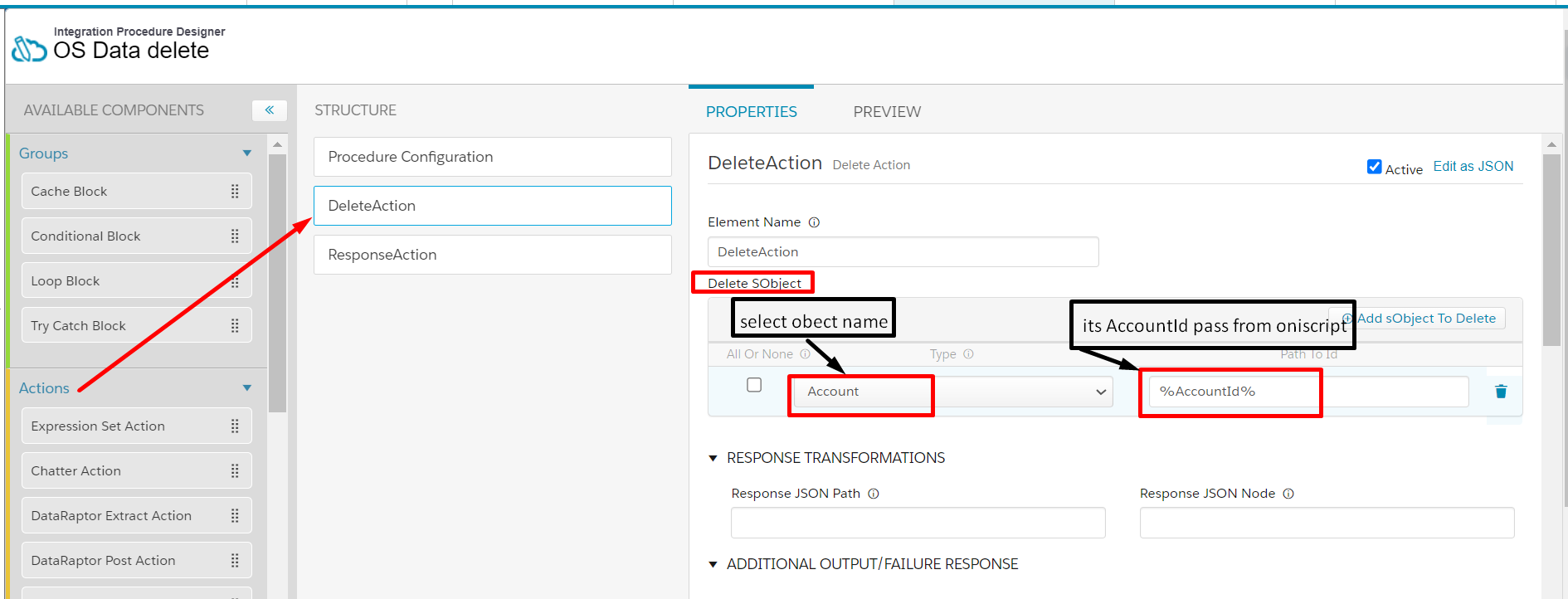
Configure the Delete Action
In the Delete SObject configuration:
Type: Enter the object API name (for example, Account)
Path to Id: Provide the path where the record ID will be received
This ID will be passed from OmniScript during runtime.
Delete Action an Integration Procedures
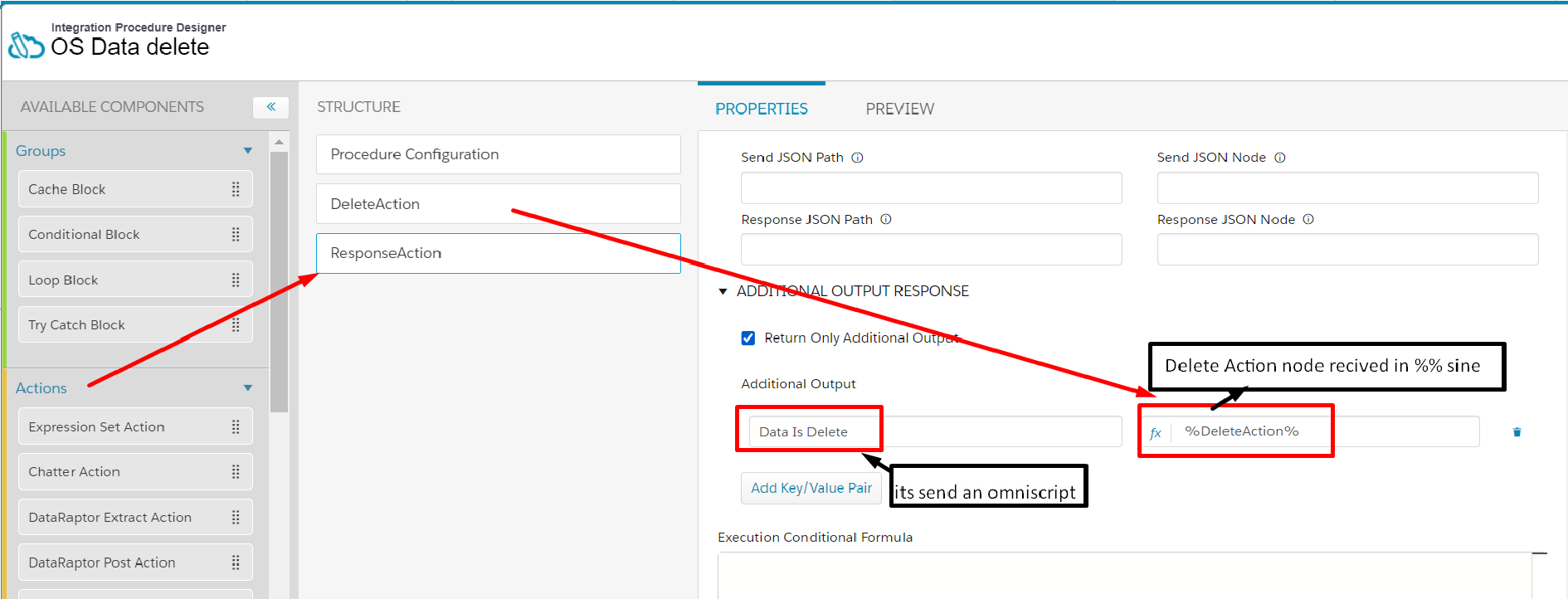
Note:– We use Response Action for send data an omniscript.
– Drag a response action for send data in response an omniscript.
Activate the Integration Procedures.
Response Actin in Integration Procedures
Step 2: Add a Response Action
To send a response back to OmniScript, add a Response Action.
Drag a Response Action element onto the canvas
Configure it to return success or status information
Important Note
The Response Action is required so OmniScript can:
Confirm whether the delete action was successful
Handle UI behavior after deletion
After completing the configuration:
Activate the Integration Procedure
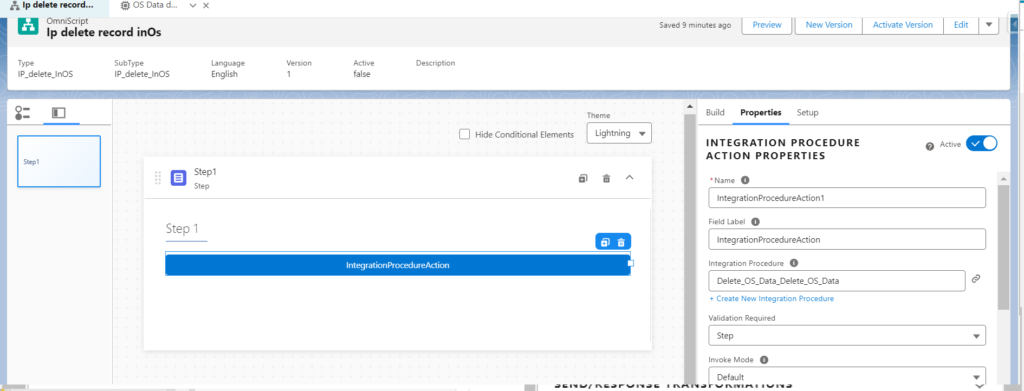
Integration Procedures An OmniScript
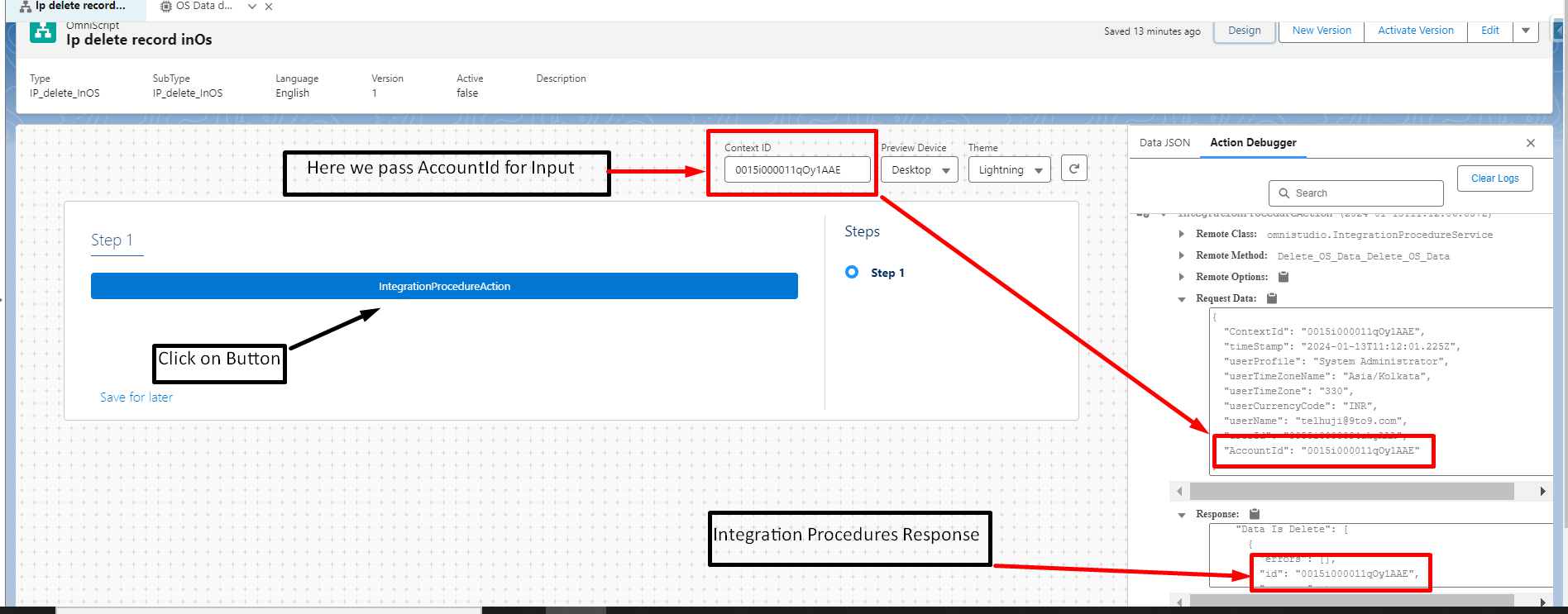
On preview tab.
– In Context Id – we pass AccountId for send id an Integration Procedures for delete account record. Click on Button.
On Preview Tab
Step 3: Create an OmniScript
Now create a new OmniScript.
Open OmniScript Designer
Create a new OmniScript
Drag an Integration Procedure Action element onto the canvas
Select the Integration Procedure created earlier.
Step 4: Pass Record ID from OmniScript
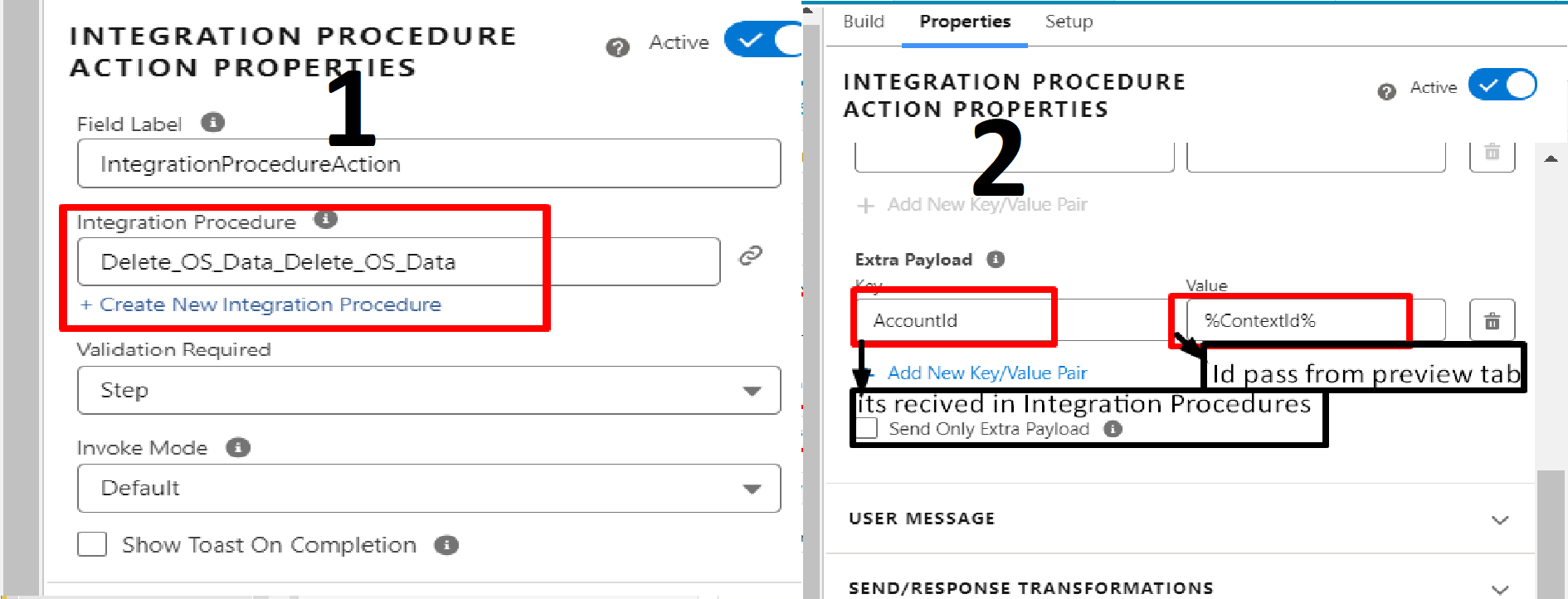
To delete a specific record, OmniScript must send the record ID to the Integration Procedure.
In the Integration Procedure Action element
Navigate to Remote Properties
In Extra Payload, pass the record ID
This ID is used by the Integration Procedure to identify which record to delete.
Step 5: Test the OmniScript
Preview the OmniScript and test the functionality.
In the Context ID, pass the AccountId (or relevant record ID)
Click the action button to trigger the Integration Procedure
Once executed:
The Integration Procedure receives the ID
The Delete Action deletes the record
The Response Action sends confirmation back to OmniScript
Best Practices for Deleting Records via OmniScript
Always confirm user intent before deleting records
Use Response Action for success or error messages
Validate record ID before passing it
Avoid hardcoding IDs
Implement proper access control
Test thoroughly in a sandbox environment
These practices help prevent accidental data loss and ensure secure operations.
Common Use Cases
Deleting records via OmniScript is commonly used in:
Guided record cleanup flows
Customer self-service portals
Admin or support workflows
Conditional record deletion scenarios
Data maintenance processes
Conclusion
Deleting records in OmniScript through Integration Procedures is a clean and efficient approach that separates UI logic from backend operations. By using a Delete Action within an Integration Procedure and triggering it from OmniScript, you ensure better control, security, and reusability.
This method is especially useful when building guided user flows that require controlled data deletion while maintaining a smooth user experience.