

Salesforce CPQ (Configure, Price, Quote) allows users to quickly add products to a quote, configure pricing, and generate accurate proposals. Adding products to a quote is one of the most common and essential activities in CPQ.
In this article, we’ll learn how to add products to a Quote and Quote Lines in Salesforce CPQ in a simple and practical way.
Step 1: Navigate to the Quotes Tab
First, log in to your Salesforce CPQ org.
- Go to the Quotes tab from the navigation bar
- Open the list of available quotes
- Select any existing quote where you want to add products
A quote acts as a container where selected products, pricing, and discounts are stored.
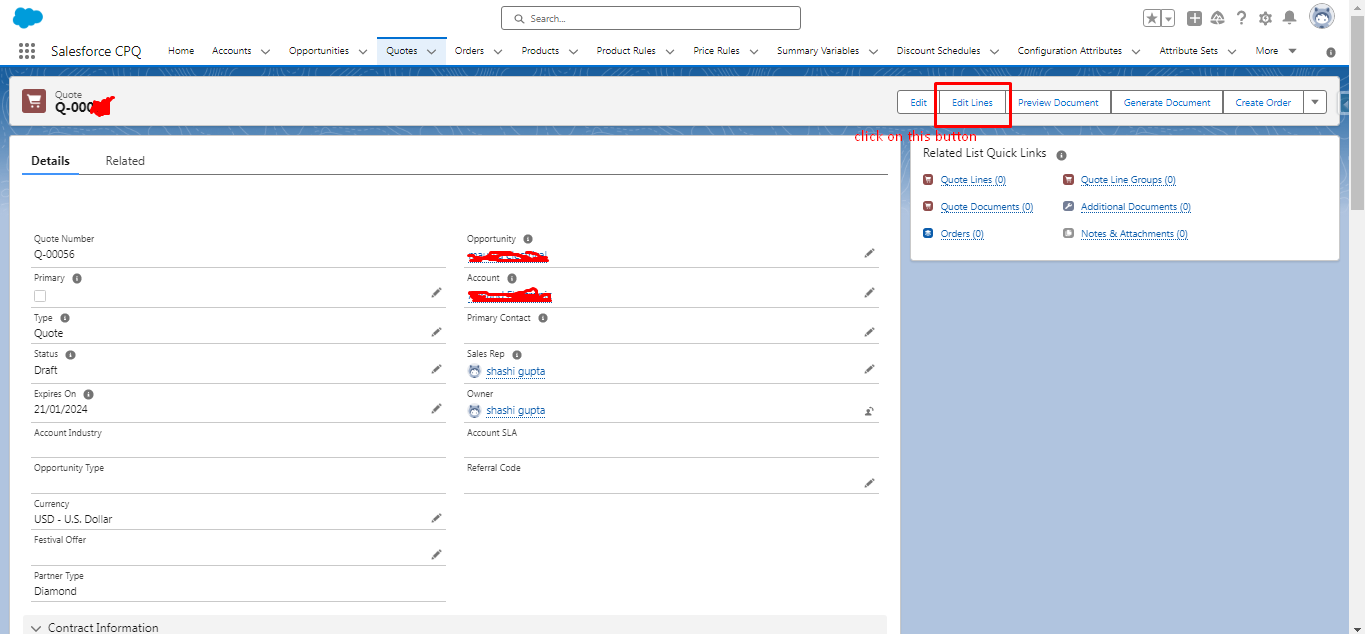
Step 2: Click on “Edit Lines”
Once the quote is open:
- Click on the Edit Lines button
This action opens the Quote Line Editor (QLE), which is the CPQ interface used to add, remove, and configure products.
Step 3: Add Products to the Quote
Inside the Quote Line Editor:
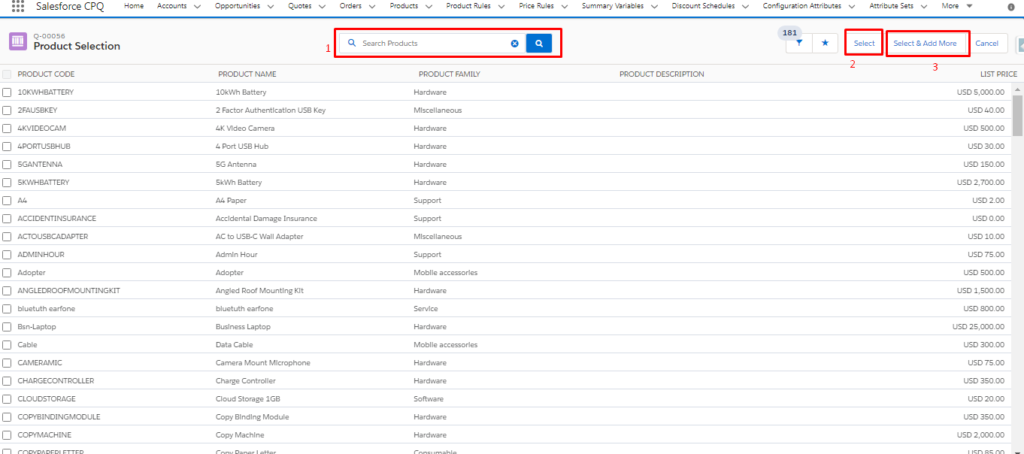
- Click on Add Products
- A product selection screen appears
- Select one or more products from the available Product List
You can search, filter, or select multiple products depending on your CPQ configuration.
Step 4: Select the Products
After choosing the required products:
- Click on the Select button
This adds the selected products to the quote line editor where pricing rules, quantities, and configurations can be applied.
Step 5: Save the Quote Lines
Once all products are added and reviewed:
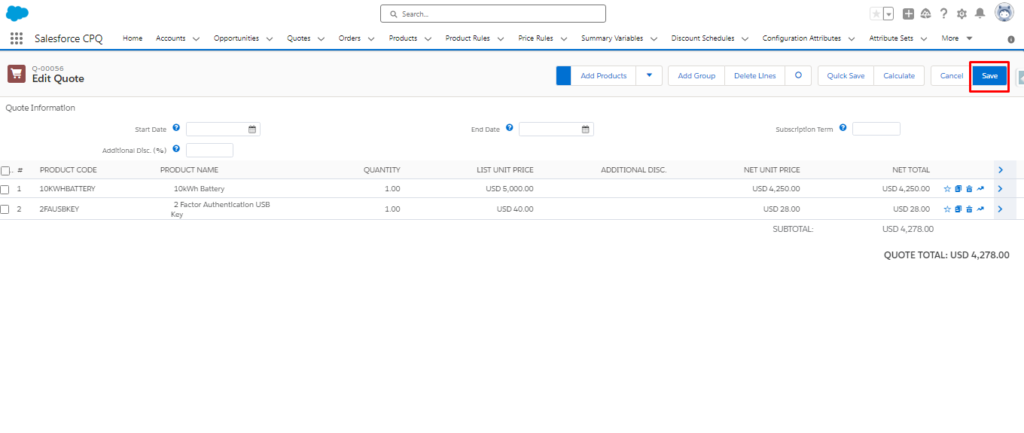
- Click on the Save button
This saves the products as Quote Line Items under the selected quote.
What Happens After Saving?
After saving:
- Products appear as quote lines
- Prices are calculated automatically based on CPQ rules
- Discounts, bundles, and price rules (if configured) are applied
The quote is now ready for further actions like approval, PDF generation, or conversion to an order.
Conclusion
Adding products to a Quote in Salesforce CPQ is a straightforward process using the Quote Line Editor. By navigating to the quote, clicking Edit Lines, selecting products, and saving, users can quickly build accurate and configurable quotes. Understanding this flow is essential for anyone working with Salesforce CPQ in sales or implementation roles.