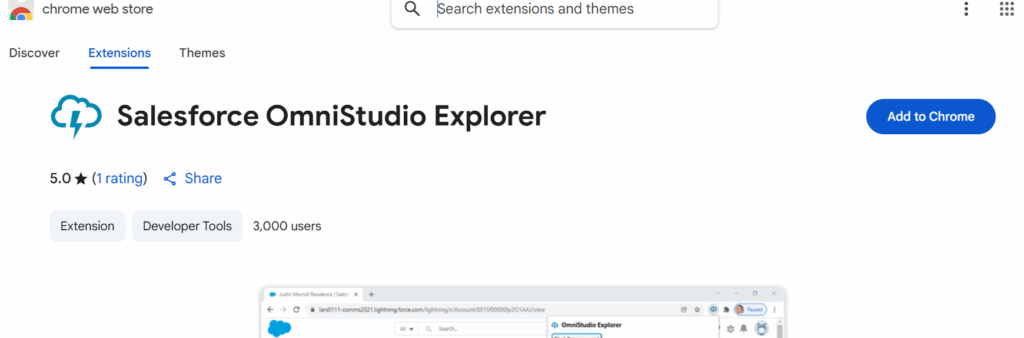
Salesforce OmniStudio Explorer is a critical tool for developers and administrators working with OmniStudio components like OmniScripts, FlexCards, DataRaptors, and Integration Procedures. As Salesforce orgs grow, tracking and managing hundreds of components can become challenging. OmniStudio Explorer solves this problem by providing a centralized interface to locate, analyze, and manage components efficiently.Using OmniStudio Explorer ensures that developers and admins can maintain a clear overview of their org, avoid duplication, and minimize errors when modifying components. For large-scale implementations or projects with multiple developers, this tool becomes indispensable for keeping workflows organized and efficient.
Why Use OmniStudio Explorer?
OmniStudio Explorer offers several advantages for managing Salesforce components:
Quick Component Search:
Search across OmniScripts, FlexCards, DataRaptors, and Integration Procedures by name, type, or API name.
Find components instantly without manually navigating multiple folders.
Analyze Dependencies:
View which components are linked to others.
Identify dependencies between OmniScripts, DataRaptors, and FlexCards to avoid breaking workflows.
Simplify Debugging:
Quickly locate the source of errors by tracing components and their connections.
Reduces time spent searching for the origin of issues in complex orgs.
Maintain Organized Architecture:
Track active, inactive, or archived components.
Ensure consistent naming conventions and structured organization across the org.
Step-by-Step Guide to Find ComponentsStep 1: Access OmniStudio Explorer
Log into your Salesforce org with the required permissions.
Navigate to OmniStudio Explorer via the App Launcher or Lightning tab.
Step 2: Search for a Component
Use the search bar to enter the component name, API name, or type.
Filter results by component type (OmniScript, FlexCard, DataRaptor, etc.) to narrow down the search.
Step 3: Inspect Component Details
Click on a component to view details such as configuration, inputs, outputs, and associated dependencies.
Check linked components to understand relationships and impact before making changes.
Step 4: Verify Dependencies
Ensure that changes to a component do not break other connected components.
Document any dependencies or modifications for team visibility.
Step 5: Maintain Logs and Documentation
Keep a record of components accessed and changes made.
Use internal documentation to track updates, especially in large projects with multiple developers
What It Does
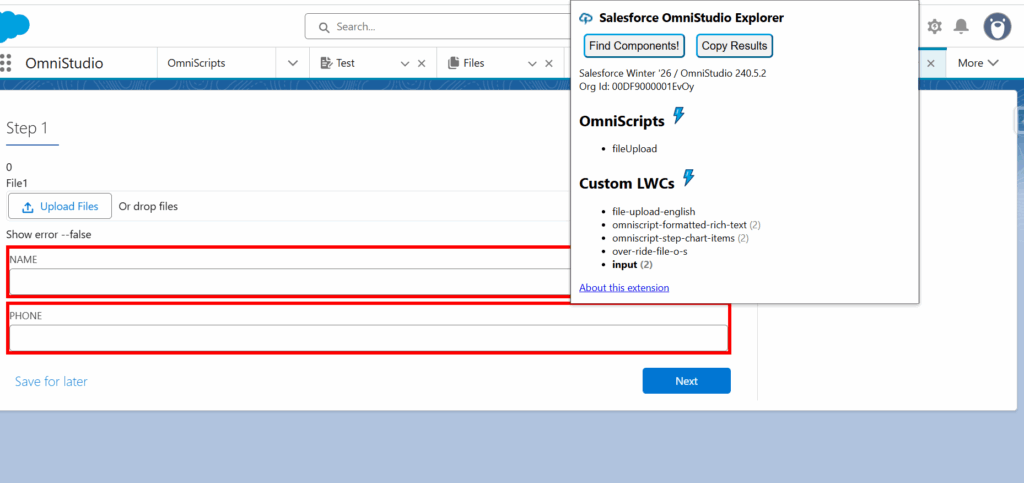
This extension supports the development of Salesforce OmniStudio applications by allowing you to easily locate:
Cards (AngularJS)
FlexCards
OmniScripts (AngularJS & LWC)
Custom Lightning Web Components
How to Use
Add the OmniStudio Explorer browser extension.
Open any Salesforce or Experience Cloud page.
Click the “Find Components!” button in the extension.
It will automatically detect all OmniStudio components on the page.
Hover over a listed component to highlight it on screen.
Benefits
Quickly identify OmniStudio components on any page
Save time during debugging and development
Understand page structure without backend access
Best Practices
Use Clear Naming Conventions:
Ensure component names are descriptive and consistent to simplify search and identification.
Regular Cleanup:
Periodically review and deactivate unused components to keep the org clean and reduce clutter.
Document Dependencies:
Track which OmniScripts or FlexCards depend on a particular DataRaptor or Integration Procedure.
Version Control:
Maintain backups of critical components before making changes.
Consider using sandbox environments for testing modifications.
Collaboration:
Share component updates and changes with the team to ensure alignment and prevent accidental overwrites.
Conclusion
OmniStudio Explorer is an indispensable tool for managing Salesforce components efficiently. By providing search, dependency analysis, and organization features, it ensures that developers and admins can maintain a high-performing, error-free org. Implementing best practices like naming conventions, dependency documentation, and regular cleanups further enhances productivity and reduces the risk of errors.