Here we see difference between use Of dataraptor And integration procedures in omniscript.
Data Raptor in omniscript :-
When working with Salesforce OmniStudio, especially while building OmniScripts, two components are used most frequently for backend operations: DataRaptors and Integration Procedures (IPs). Although both are used to fetch, transform, and send data, their purpose and usage are quite different.
In this article, we will clearly understand when to use DataRaptor and when to use Integration Procedures in OmniScript, along with real use-case explanations.
Understanding DataRaptor in OmniScript
DataRaptor is primarily used for simple data operations such as extracting, inserting, updating, or transforming Salesforce records. It directly interacts with Salesforce objects and is lightweight in nature.
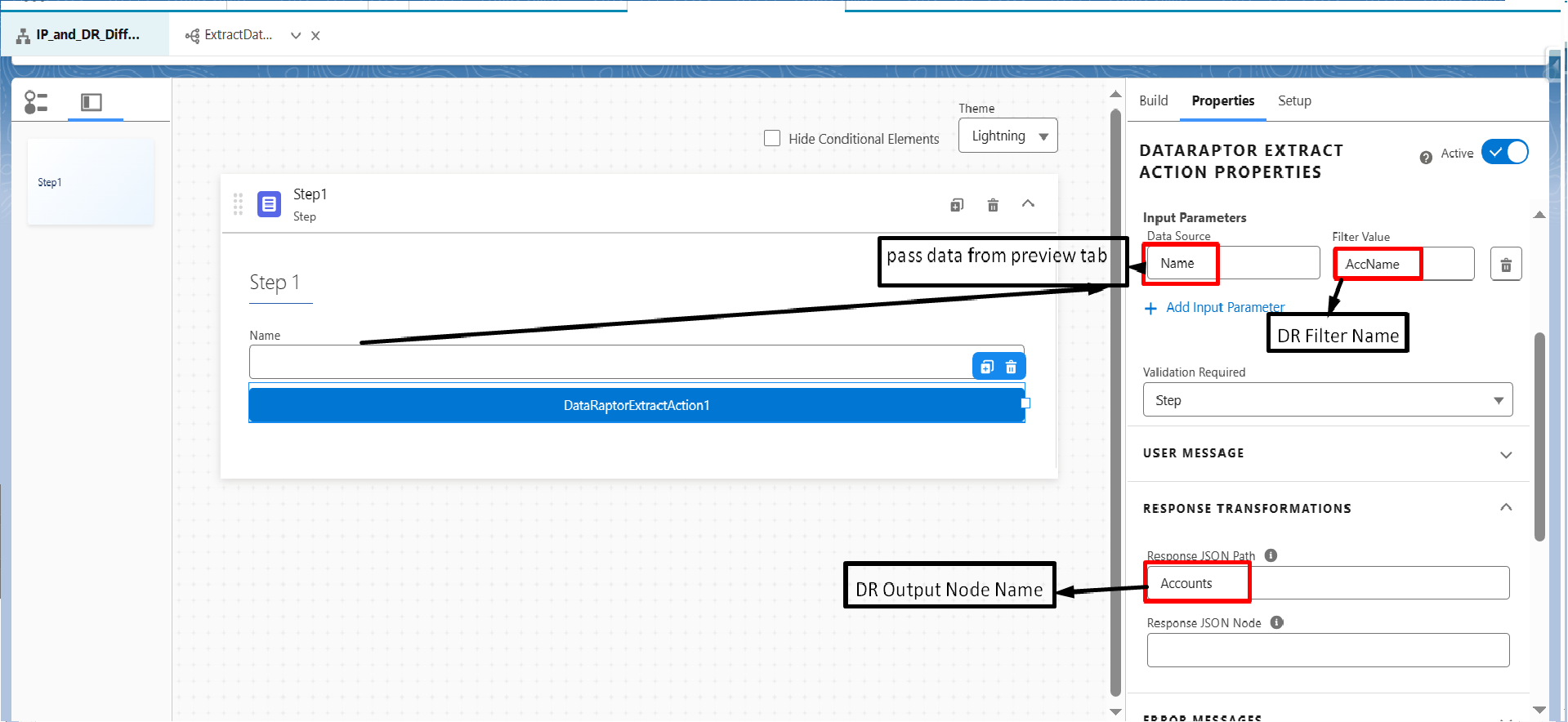
DataRaptor Extract Action in OmniScript
The DataRaptor Extract Action is used when we want to fetch data from Salesforce objects and display it in OmniScript.
Key Characteristics:
In Input Parameters, the data source comes directly from OmniScript.
Multiple input nodes can be sent from OmniScript to DataRaptor.
You can send all Step Data or selected fields.
In Response Transformation, the Response JSON Path is used to map extracted data back to OmniScript.
Use Case:
When you want to retrieve account, contact, or custom object data without any complex business logic, DataRaptor Extract is the best choice.
In OmniScript
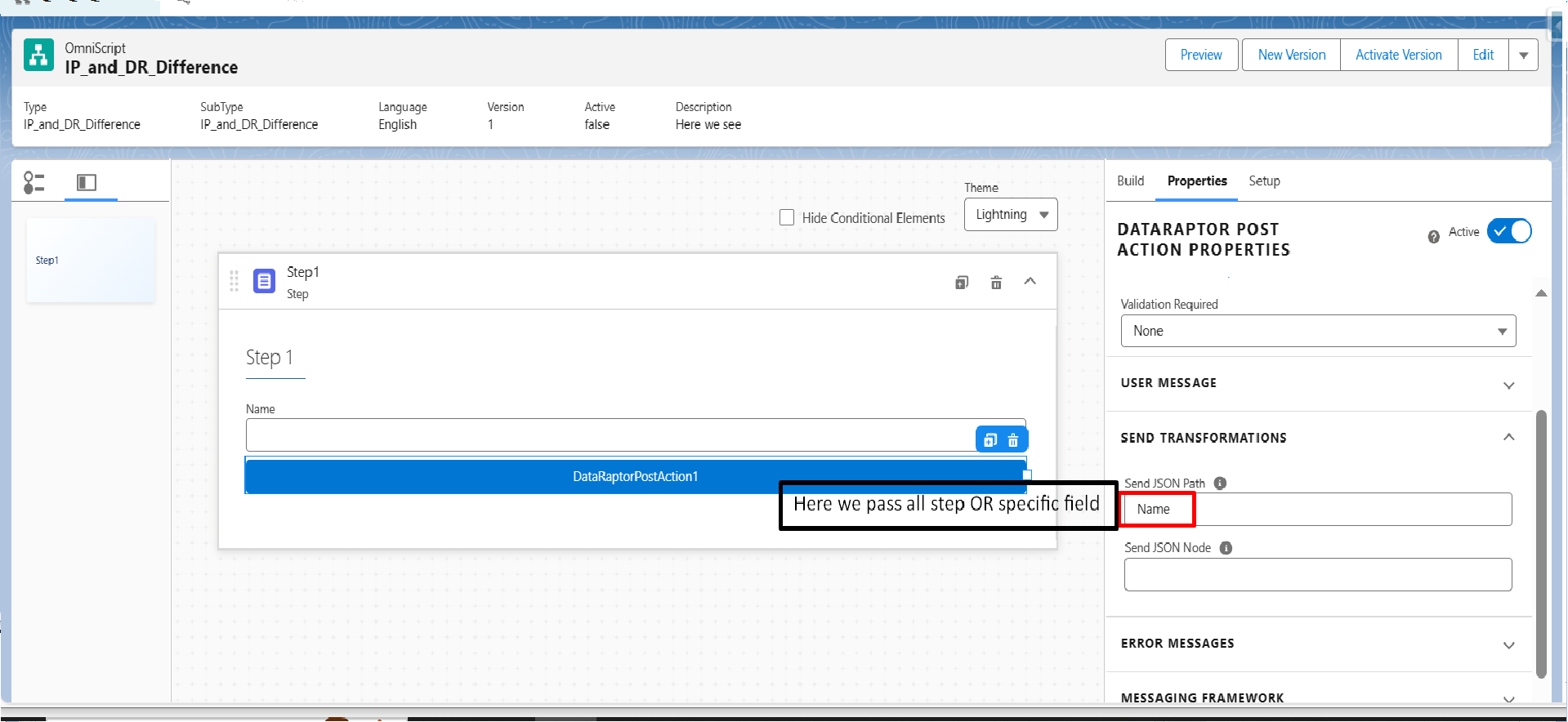
DataRaptor Post Action in OmniScript
The DataRaptor Post Action is used to insert or update records in Salesforce.
Key Points:
You can send specific fields or entire step data.
Ideal for simple create or update operations.
No complex conditional logic is supported.
Example:
Submitting a form in OmniScript to create or update an Account or Case record.
In DataRaptorPostAction
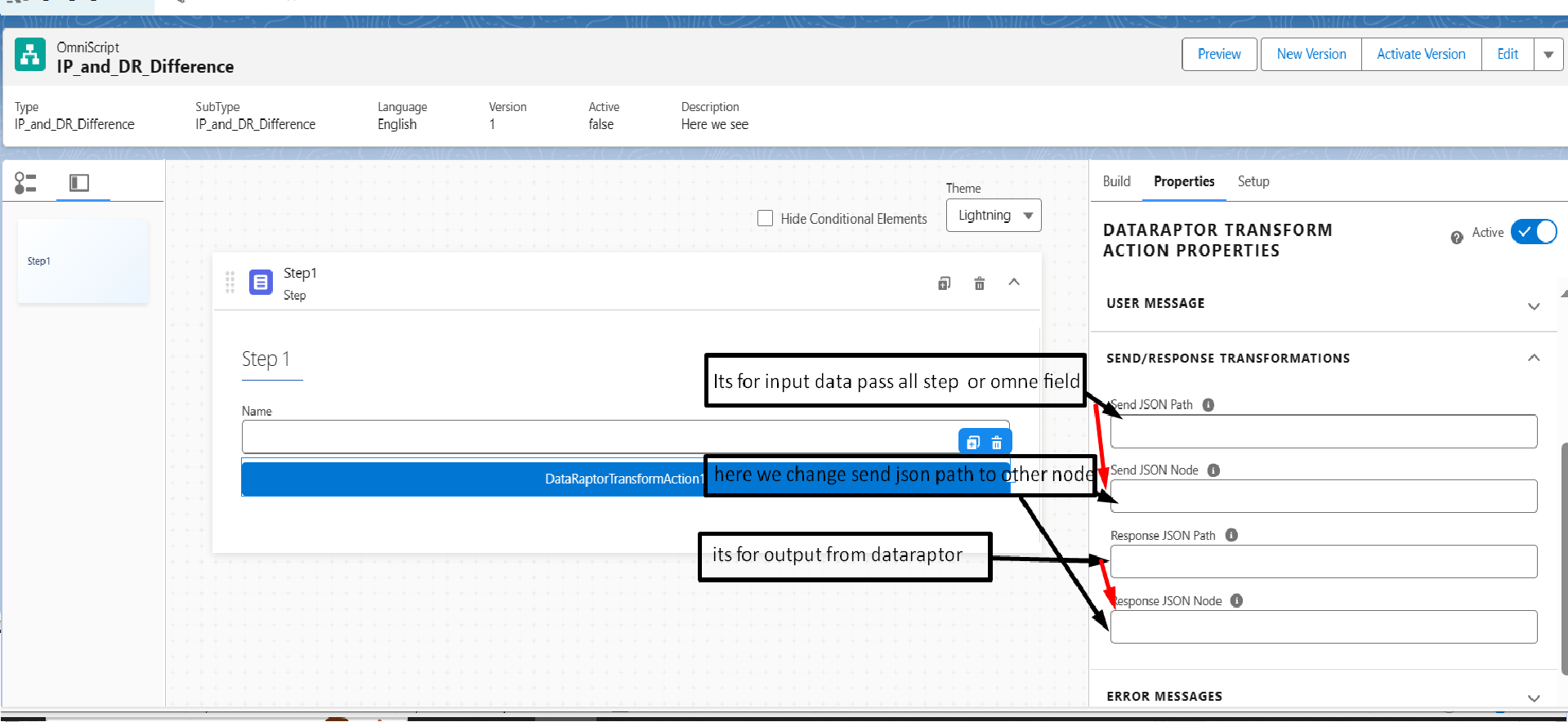
DataRaptor Transform Action
The DataRaptor Transform Action is mainly used for data mapping and transformation.
Highlights:
You can send either all step data or a single field using the Send JSON Path.
Useful when the output format needs to be modified before saving or displaying.
Example:
Transforming user input into a structure required by another OmniScript step.
DataRaptorTransformAction
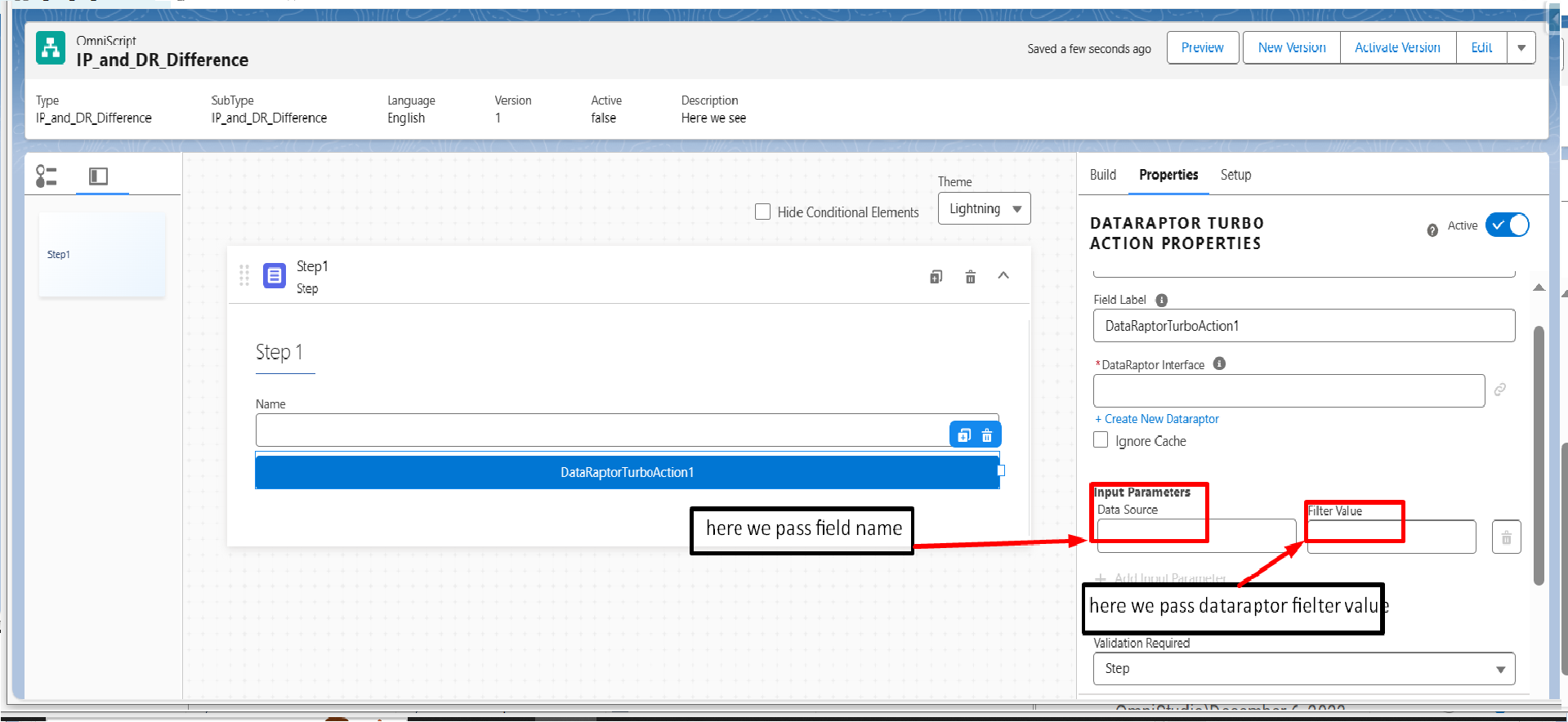
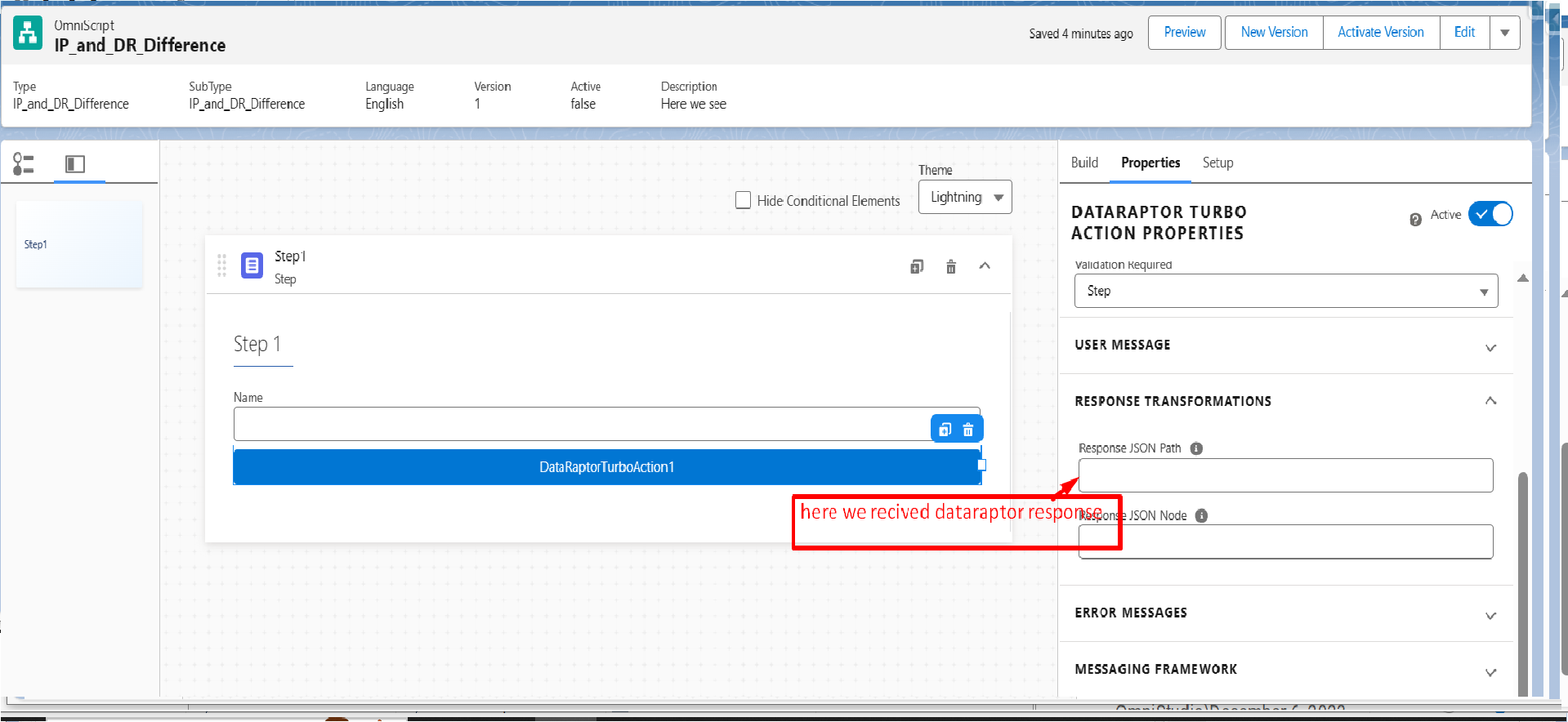
DataRaptor Turbo Action
DataRaptor Turbo is an optimized version of DataRaptor that works faster but with some limitations.
Important Characteristics:
Only specific data can be passed in Input Parameters.
Works only with single Salesforce objects.
Does not support complex mappings or formulas.
When to Use:
When performance is critical and the data structure is simple.
DataRaptorTurboAction
DataRaptorTurboAction Response
Understanding Integration Procedures in OmniScript
Integration Procedures (IPs) are used for complex data orchestration. They are more powerful than DataRaptors and support advanced logic, multiple data sources, and external system integrations.
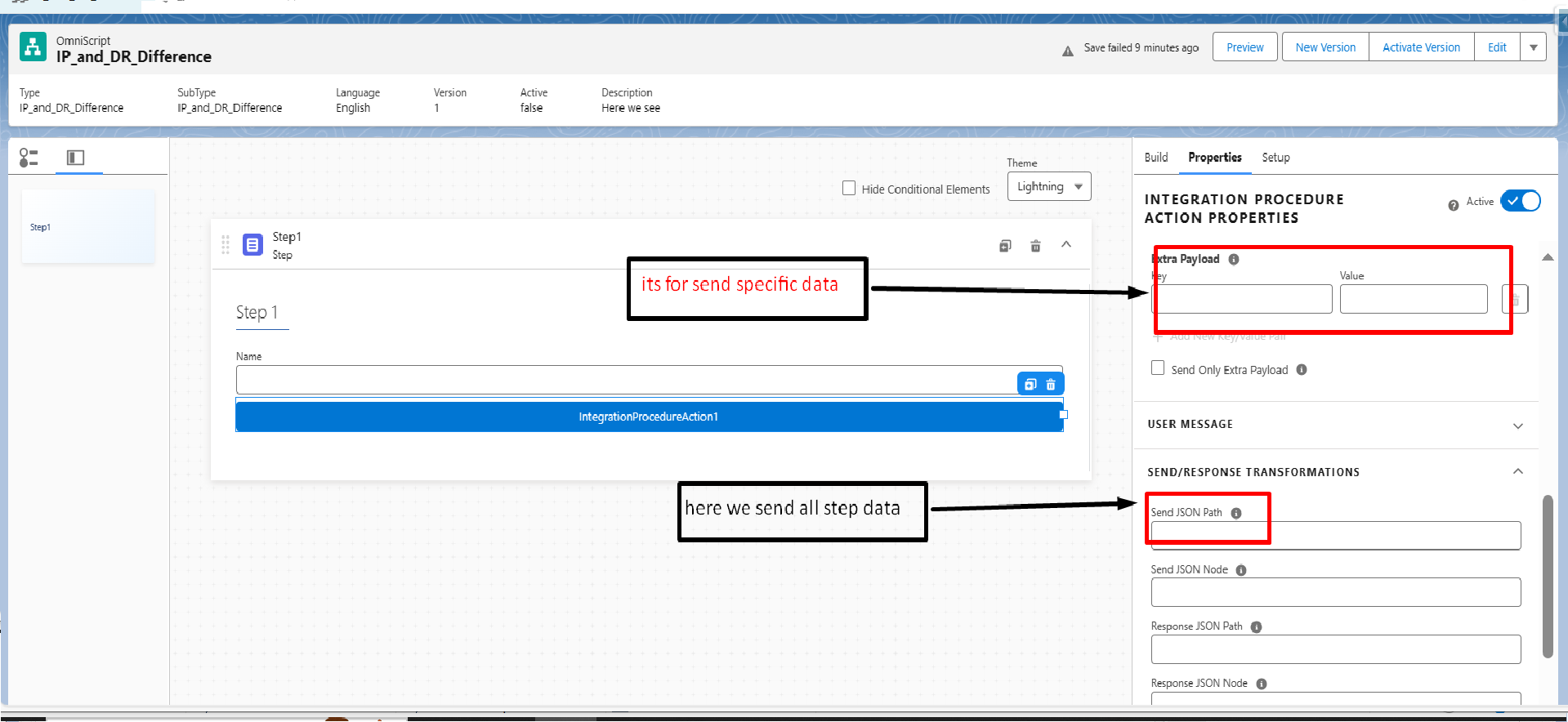
Integration Procedure Action in OmniScript
In OmniScript, Integration Procedures are invoked using the Integration Procedure Action.
Key Features:
In Remote Properties > Extra Payload, only specific data is passed to the Integration Procedure.
In Send/Response Transformation, you can send all Step Data or only required fields.
Integration Procedures use a Response Action to send data back to OmniScript or FlexCard.
Example:
Fetching data from Salesforce, applying conditional logic, calling an external API, and returning a combined response.
IntegrationProcedureAction
Why Integration Procedures Are More Powerful
Integration Procedures support:
Multiple DataRaptors inside one flow
Conditional logic
Looping mechanisms
External REST API calls
Response aggregation
Because of these capabilities, Integration Procedures are preferred when business logic becomes complex.
When to Use DataRaptor in OmniScript
Use DataRaptor when:
You need quick data access
Logic is minimal
Only Salesforce objects are involved
Performance is a priority
Simple CRUD operations are required
When to Use Integration Procedures in OmniScript
Use Integration Procedures when:
You need to combine data from multiple sources
Business logic is complex
External systems are involved
Data transformation is extensive
Error handling and orchestration are required
Conclusion
Both DataRaptor and Integration Procedures are essential building blocks of OmniScript, but they serve different purposes. DataRaptors are lightweight and perfect for straightforward operations, while Integration Procedures provide flexibility and power for complex integrations.
Choosing the right tool not only improves performance but also keeps your OmniScript scalable and easy to maintain. Understanding this difference is critical for building efficient OmniStudio solutions.

Обязанности – погрузка и разгрузка товаров
грузчики услуги https://www.gruzchikigruzit.ru.